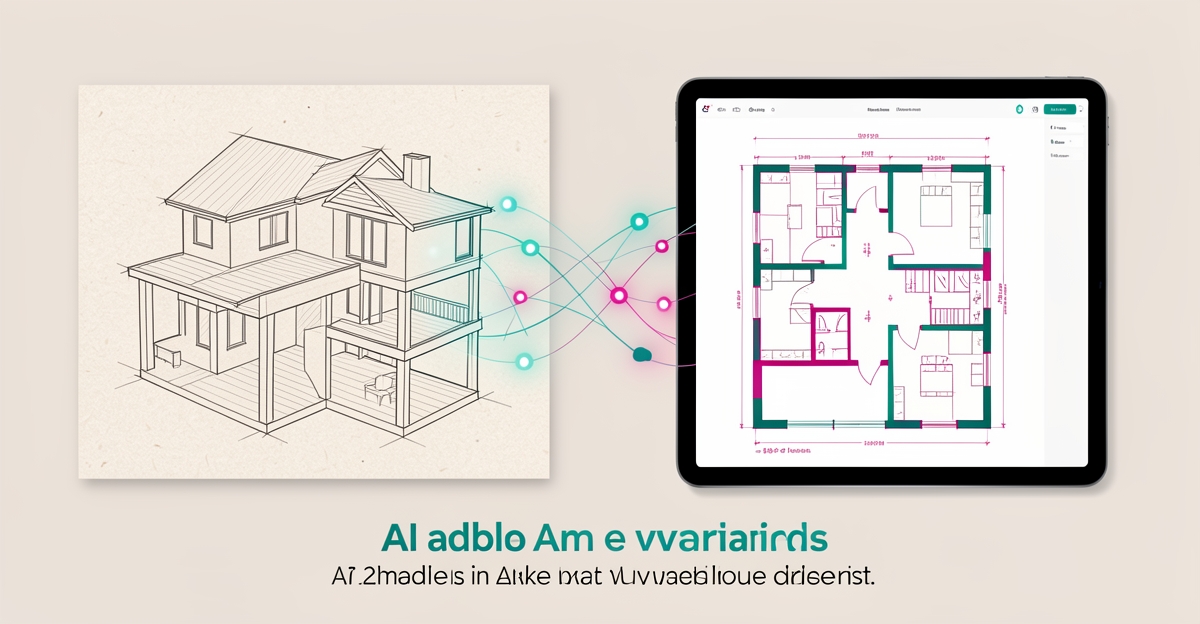
From Hand-Drawn Plans to AI-Powered Design: How Preservation Firms Can Modernize Their Workflows
Key Facts
- AI-powered tools can typically convert hand-drawn sketches to digital floor plans in seconds to minutes, versus hours of manual drafting
- AI sketch-to-floor-plan conversion is typically priced per plan at a fraction of professional CAD redrawing services, which often charge $50–$200 per plan
- Listings with floor plans tend to attract more qualified inquiries, which is why faster documentation matters commercially
- AI tools increasingly connect with professional design suites, letting AI slot into workflows firms already use rather than forcing a platform change
- Human intuition plus AI speed equals stronger creative output, not replacement, in heritage work
- AI workflow automation enables preservation architects to focus on creative and strategic work by automating scale drawings, material estimates, and code cross-referencing
- As of late 2026, leading sketch-to-plan platforms report processing times under 30 seconds with high standard compliance
Hire a team member that works 24/7 — for less than a part-time wage.
AI receptionists, SDRs, dispatchers and 99+ roles. Trained on your business, fully managed.
Not sure where to start? Ask our AI planner
The Preservation Workflow Bottleneck
Despite the digital age, hand-drawn sketches remain the starting point for many preservation projects, creating a persistent bottleneck in workflow efficiency. Architects often spend 1–3 hours manually redrawing these sketches into digital floor plans using DIY software, a time-consuming process that diverts focus from higher-value design work. This manual effort not only slows project timelines but also increases the risk of inconsistencies when translating rough concepts into precise documentation.
Professional CAD redrawing services offer an alternative but come with significant cost and delay, typically charging $50–$200 per plan with turnaround times of 1–5 days. For preservation firms managing multiple historic properties or intricate restoration details, these expenses and delays accumulate quickly, straining both budgets and schedules. The inefficiency is compounded when revisions are needed, as each update can incur additional fees and extend timelines further, disrupting coordination with contractors, historians, and clients.
AI-powered tools now eliminate much of this friction by converting photos of hand-drawn sketches into professional digital floor plans in seconds to minutes, with some platforms reporting processing times as low as 30 seconds. This speed improvement—often several times faster than manual drafting—allows architects to move from concept to documentation almost instantly, preserving design intent while accelerating project delivery. By automating this repetitive task, preservation teams can redirect their expertise toward creative problem-solving, material research, and client collaboration.
- Reduce manual redrawing time from hours to minutes
- Cut per-plan costs dramatically versus outsourced CAD services
- Enable rapid iterations without added expense or delay
AI as Creative Amplifier for Heritage Work
Picture a preservation architect sketching a historic building's layout on a napkin during a site visit — and having a professional digital floor plan ready before they return to the office. That's no longer a hypothetical. AI sketch-to-floor-plan tools now convert photos of hand-drawn sketches into clean digital plans in seconds to minutes, at a per-plan cost far below outsourced CAD services.
The economics are hard to ignore. Professional CAD digitization services typically charge $50–$200 per plan with a 1–5 day turnaround, while DIY floor plan software demands 1–3 hours of manual redrawing per plan. AI conversion platforms run several times faster than manual drafting, and some report average processing times of around 30 seconds. For firms juggling documentation across dozens of heritage properties, the difference compounds quickly.
What makes this shift meaningful for preservation work specifically is AI's role as a collaborator rather than a replacement. As AI creative specialists consistently argue, AI "should not take the place of the creative mind, but it can help expand what creatives are able to do, speed up certain phases and make larger-scale projects more accessible." The technology handles the mechanical translation; the architect supplies the judgment about what matters in a 150-year-old structure.
Integration with existing professional tools is advancing rapidly. AI assistants now connect with a growing range of tools across the creative ecosystem, including design and CAD platforms — meaning AI can slot into workflows preservation firms already use rather than forcing a wholesale platform change.
For preservation firms, the practical automation opportunities center on three repetitive tasks:
- Scale drawings — converting field sketches into dimensionally accurate digital plans without hours of CAD redrawing
- Material estimates — generating consistent takeoffs from digitized plans instead of manual counts
- Code cross-referencing — checking layouts against building code requirements systematically rather than from memory
The caveat worth noting: research on AI in creative work warns that high-fidelity outputs can fixate thinking and encourage tweaking over genuine exploration. Experts consistently prefer systems that augment their judgment on routine tasks while leaving nuanced decisions — like how to respect a building's historic fabric — firmly in human hands.
That's the model AIQ Labs builds around: custom AI systems that integrate with a firm's existing CAD tools and archival data to automate scale drawings, material estimates, and code checks safely and accurately, freeing preservation architects to focus on the creative and strategic work only they can do. Human intuition plus AI speed equals stronger creative output — and in heritage work, that combination protects both the buildings and the expertise behind them. Firms that want a single connected layer across drafting, review, and archives can explore AI Operating Systems.
Modernizing Without Losing Craft
Preservation firms face a real tension: speed up documentation without flattening the judgment that defines heritage work. AI can absorb the repetitive lift while leaving craft decisions firmly in human hands when workflows are designed around augmentation, not substitution.
The friction starts with how teams think. Research from the CHI Tools for Thought Workshop shows GenAI can reshape critical thinking, with people shifting from active seeking to passive consumption of AI outputs, especially when trust in AI is high or domain confidence is low. That overreliance risks reduced reflection and homogenized thinking. Preservation architects counter it by keeping human intuition in the loop for nuanced decisions while using AI for speed.
Creative fixation is another trap. High-fidelity AI outputs can encourage tweaking over exploration and reduce originality unless consciously countered. The antidote is workflow design that treats AI as a collaborator: human intuition plus AI speed equals stronger creative output, not replacement.
Data privacy and heritage accuracy demand guardrails. Archival drawings, measured surveys, and client files are sensitive. Firms need systems that integrate with existing CAD tools and archival data, preserve audit trails, and allow configurable escalation for critical decisions. Human-in-the-loop controls ensure heritage accuracy stays verifiable.
Practical modernization looks like pairing AI conversion with controlled review:
- Sketch-to-plan conversion in minutes instead of 1–3 hours of manual redrawing, with professional CAD services typically costing $50–$200 per plan
- Automated scale drawing, material estimates and building-code cross-referencing freed from repetitive drafting
- Integration with existing CAD and archival systems so AI works inside structured creative processes, not beside them
- Workflow automation via orchestration tools to connect apps, trigger reviews, and log changes for compliance
Platforms already demonstrate the speed shift. AI digitization tools convert photos of hand-drawn sketches to clean digital floor plans in under 90 seconds, several times faster than manual drafting. Listings with floor plans tend to see more qualified inquiries, showing why faster documentation matters commercially.
Integration is moving from standalone generators to operational support. AI assistants now connect with a broad set of professional design tools, a pattern preservation teams can mirror by linking AI to their CAD, project management and archive stacks.
AIQ Labs builds custom AI systems that integrate with existing CAD tools and archival data to automate repetitive design tasks safely and accurately, allowing preservation architects to focus on creative and strategic work. Firms can start small with a single Workflow Build — rebuilding the one workflow that costs the most — or bring in managed AI Employees to handle routine documentation coordination. The goal is not to remove the artist but to remove the blank page, keeping taste, imagination and vision human while AI handles the repetitive lift.
Build a Safe AI Workflow for Preservation
Preservation architects can't afford slow, error-prone handoffs between sketch, code and archive. A safe AI workflow keeps human judgment in control while automating the repetitive parts that drain time.
Start with a controlled upload. Photograph the hand-drawn sketch, napkin layout or field note and upload it in a standard image format. Leading platforms typically process this in under 90 seconds, converting photos of hand-drawn sketches into clean digital floor plans — several times faster than manual drafting, and a fraction of the $50–$200 per plan that professional CAD digitization services typically charge with 1–5 day turnarounds.
AI processing then reads walls, doors, windows and handwritten measurements. The system recognizes structural elements and converts them into accurate digital dimensions, producing a first-pass plan for review. As of late 2026, leading platforms report processing times under 30 seconds with high rates of standard compliance, at per-plan costs far below manual services.
Edit and export is where preservation standards are enforced. Review the generated floor plan, adjust details, then export to 2D blueprints, colored floor plans, or 3D views, with standard file outputs. This step preserves agency and deep work, because professionals embrace GenAI for routine tasks but avoid it for nuanced decisions. They value systems that augment rather than override workflows.
Integration closes the loop with existing CAD tools and archival systems. The industry is moving toward AI as operational support within structured creative processes. AI assistants now connect with a wide range of professional design tools, showing how AI can sit inside existing professional workflows rather than as a separate generator.
For preservation firms, a safe workflow built by AIQ Labs can automate repetitive design tasks like creating scale drawings, generating material estimates and cross-referencing building codes, while architects focus on creative and strategic work. Custom AI systems integrate with existing CAD tools and archival data to automate these processes safely and accurately — and with payment models like Start Monthly, Build in Milestones, or Own It Outright, firms keep control of what they build.
A practical implementation looks like this:
- Upload sketch → AI processing → edit and export, with human review at each gate
- Connect the output to CAD, project management and archival databases via two-way API integration
- Apply governance guardrails, audit trails and human-in-the-loop escalation for code compliance decisions
- Train the system on firm standards, historic typologies and internal archives for consistent results
The result is human intuition plus AI speed. AI doesn't replace creativity — it removes the blank page and the redrawing bottleneck. With ownership of custom-built systems, no vendor lock-in and integration designed for long-term growth, preservation teams can modernize without sacrificing control.
Still paying for 10+ subscriptions that don’t talk to each other?
We build custom AI systems you own outright. No vendor lock-in. Full control.
Not sure where to start? Ask our AI planner
Frequently Asked Questions
How long does it take to convert a hand-drawn sketch into a digital floor plan using AI tools?
What is the cost difference between AI sketch-to-floor-plan conversion and traditional CAD redrawing services?
Can AI tools integrate with the CAD and design software preservation firms already use?
Will using AI for floor plan conversion reduce the creative control of preservation architects?
What file formats and sizes are supported when uploading hand-drawn sketches to AI floor plan tools?
Are there risks of over-reliance on AI in preservation workflows, and how can firms mitigate them?
Where Heritage Meets Speed: The Future of Preservation Workflows
Preservation firms no longer need to choose between honoring craft and embracing efficiency. As we've seen, AI-powered tools now convert hand-drawn sketches into professional digital floor plans in minutes instead of hours — cutting per-plan costs dramatically versus outsourced CAD services. This shift isn't about replacing the architect's judgment but amplifying it: by automating scale drawings, material estimates, and code cross-referencing, teams regain focus on the irreplaceable work of historic stewardship, material research, and client collaboration. The real opportunity lies in integrating these capabilities safely within existing CAD and archival systems, keeping human intuition in the loop for nuanced decisions while letting AI handle the repetitive lift. For firms ready to modernize without losing their edge, the next step is identifying where automation can unlock strategic capacity today. Start with the 2-minute Fit Check, then a free 30-minute strategy call to explore how custom AI systems can integrate with your workflows — no obligation, just clarity on where AI can remove the blank page and strengthen your creative work. Questions? Reach the team at [email protected].
Make AI your competitive advantage — not just another tool.
Strategy, implementation and ongoing optimization. One partner, end to end.
Not sure where to start? Ask our AI planner