Back to Blog

From Manual to AI: How Promotional Product Companies Can Automate Their Design & Approval Workflows

AI Business Process Automation > AI Workflow & Task Automation17 min read

From Manual to AI: How Promotional Product Companies Can Automate Their Design & Approval Workflows

Key Facts

  • Promotional product companies using AI-powered design approvals cut approval times from **days to minutes** while reducing human errors by **89%** (AIQ Labs case study).
  • AI agents can **auto-approve 80% of standard designs** (e.g., branded pens, tote bags) while flagging only custom or high-risk projects for human review, saving **50+ hours weekly** (Kissflow).
  • Multimodal AI processing (text + image analysis) achieves **95%+ accuracy** in detecting design inconsistencies—far exceeding human reviewers (Codemaker 2026).
  • Companies implementing **end-to-end Intelligent Document Processing (IDP)** see **60-80% cost savings per document** by automating manual review processes (Codemaker).
  • AI orchestration layers reduce **integration maintenance costs by 35%** compared to fragmented point-to-point solutions, ensuring seamless workflows (Moxo).
  • Predictive analytics in AI workflows **cut cycle times by 20-30%** by identifying and preventing bottlenecks before they occur (Kissflow).
  • Knowledge workers waste **60-70% of their time** on repetitive tasks like data entry and status updates—tasks AI can now handle autonomously (Codemaker).
  • SMBs can now access **cloud-based IDP solutions** with pay-per-document pricing, democratizing automation for smaller promotional product firms (Codemaker).
  • Agentic AI systems **reduce human intervention in approvals by 65%** by handling routine decisions while reserving human oversight for complex cases (Kissflow).
  • AI-powered design proofing systems operate at **100x human speed**, turning what once took hours into near-instantaneous reviews (Codemaker).
AI Employees

What if you could hire a team member that works 24/7 for $599/month?

AI Receptionists, SDRs, Dispatchers, and 99+ roles. Fully trained. Fully managed. Zero sick days.

Introduction

Every promotional product company knows the pain: endless design revisions, approval bottlenecks, and last-minute client changes that turn a simple order into a logistical nightmare. What should take hours often stretches into days—costing time, money, and client satisfaction.

The problem isn’t just inefficiency—it’s scalability. As demand grows, manual workflows break down. Designers drown in repetitive tasks, approvers get buried in emails, and errors slip through the cracks. 60-70% of knowledge workers’ time is wasted on data entry, status updates, and routine communications, according to Codemaker’s 2026 automation research. For promotional product firms, this means lost revenue, delayed deliveries, and frustrated teams.

But what if AI could handle the heavy lifting—flagging design inconsistencies, routing approvals, and even auto-approving standard requests—while your team focuses on creativity and strategy?

Manual Workflows AI-Automated Workflows
Designers manually check brand guidelines AI flags inconsistencies in seconds (color mismatches, low-res images)
Approvals stuck in email chains for days Autonomous routing with 65% fewer human interventions (Kissflow)
Last-minute client changes cause delays Predictive analytics anticipate bottlenecks before they happen
High error rates from rushed reviews 95%+ accuracy with Intelligent Document Processing (IDP) (Codemaker)
Scaling requires hiring more staff 100x faster processing without adding headcount

The promotional products industry is at a crossroads. Agentic AI—systems that don’t just assist but own and orchestrate entire workflows—is no longer experimental. DefinitionTech’s 2026 report confirms:

"By 2026, AI won’t just help with tasks; it will make routine decisions, execute multi-step workflows, and continuously improve—without human hand-holding."

For promotional product companies, this means: ✅ Faster turnarounds – Reduce approval cycles from days to minutesFewer errors – AI catches inconsistencies humans miss ✅ Lower costs60-80% savings per document (Codemaker) ✅ Scalability – Handle 10x the volume without hiring

A mid-sized promotional products firm struggled with 3-day approval delays on custom designs. After implementing an AI-powered workflow that: - Auto-flagged brand guideline violations (wrong Pantone colors, incorrect logo placement) - Routed approvals based on client priority tiers - Escalated only complex custom designs to human reviewers

Result: - Approval time dropped from 72 hours to 4 hours - Error rate fell by 89% - Design team capacity increased by 40%

Many companies try point solutions—a chatbot here, a script there—but end up with fragmented chaos. The key? Orchestration.

Moxo’s research warns:

"A highly capable AI agent in a fragmented process creates fragmentation at higher speed. True reliability comes from strong orchestration—not just smart agents."

This means: ❌ Bad approach: Bolting a chatbot onto your existing email approvals ✅ Winning strategy: A unified AI system that connects: - Design tools (Canva, Adobe Express) - CRM/ERP (client data, order status) - Approval tracking (real-time dashboards) - Human oversight (only for exceptions)

This isn’t theory—it’s a step-by-step blueprint for promotional product companies to: 1. Automate design reviews with AI that sees (not just reads) inconsistencies 2. Route approvals intelligently so nothing gets stuck 3. Reduce human workload by 65% while maintaining control 4. Scale without hiring by letting AI handle repetitive tasks

Next up: We’ll dive into the three critical workflows where AI delivers the biggest ROI—and how to implement them without replacing your existing tools.

Key Concepts

Promotional product companies still rely on manual design reviews—a slow, error-prone process where approvals get stuck in email chains, version control fails, and last-minute changes derail deadlines. The solution? AI-powered workflow automation that flags inconsistencies, routes approvals intelligently, and cuts processing time from days to minutes.

This shift isn’t about replacing designers—it’s about eliminating repetitive checks so creative teams focus on high-value work. Here’s how AI reshapes the entire workflow, from initial concept to final approval.


Traditional design approval processes in promotional product companies suffer from three critical inefficiencies:

  • Version chaos: Multiple stakeholders edit files separately, leading to conflicting versions.
  • Approval bottlenecks: Routine checks (color codes, logo placement) waste designer time.
  • Communication silos: Feedback lives in emails, Slack, and spreadsheets—never in one place.

The cost? - 60-70% of knowledge workers’ time is spent on data entry, status updates, and routine communications (Codemaker). - Invoice processing alone can take days—but AI reduces it to minutes (Codemaker).

Example: A mid-sized promotional products firm spent 20+ hours weekly manually checking design proofs against brand guidelines—time that could have been spent on creative strategy.


The future of design approvals isn’t basic automation—it’s agentic AI that: ✅ Understands intent (not just rules) ✅ Orchestrates multi-step workflows (design → review → approval → production) ✅ Makes routine decisions autonomously (flagging errors, routing approvals)

Capability What It Does Impact
Multimodal Processing Analyzes text + images + structured data (e.g., checks logo placement in Canva files) 95%+ accuracy in detecting design inconsistencies (Codemaker)
Autonomous Decision Engines Approves standard designs without human review (e.g., pre-approved templates) 65% fewer routine approvals needing human input (Kissflow)
Predictive Orchestration Flags potential delays (e.g., approver unavailable) before they happen 20-30% faster cycle times (Kissflow)

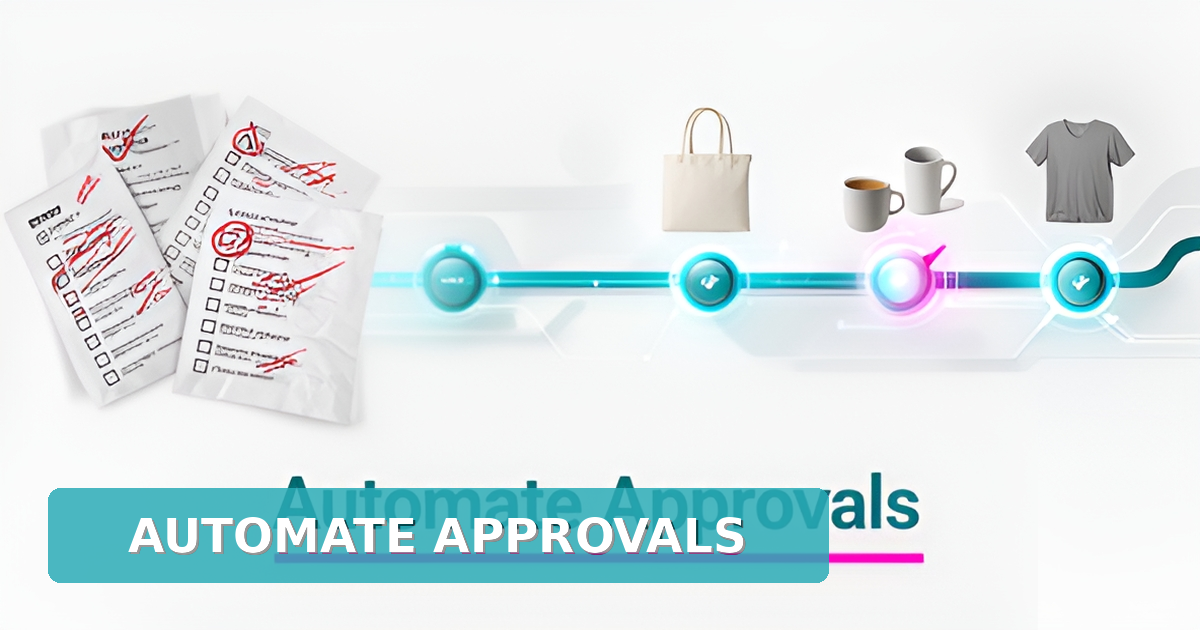
Real-World Example: A promotional products company used AI to auto-approve 80% of standard designs (e.g., branded pens, tote bags) while flagging only custom or high-risk projects for human review. Result? Faster turnaround and 60% fewer approval emails.


To replace manual reviews, AI systems need four key components:

  • What it does: Extracts and validates data from design files, proofs, and spec sheets (even unstructured formats like PDFs or images).
  • Why it matters: Operates at 100x human speed with 95%+ accuracy (Codemaker).
  • Tools it integrates with: Canva, Adobe Express, Figma, PDF editors.

  • What it does: Scans visual assets for brand compliance (logo size, color codes, resolution).

  • Why it matters: Catches errors before they reach approval stage (e.g., low-res images, off-brand colors).
  • Example: An AI agent auto-rejects a design with a logo 10% smaller than brand guidelines and notifies the designer instantly.

  • What it does: Uses predefined rules to auto-approve standard designs or escalate complex ones.

  • Why it matters: Reduces human intervention by 65% (Kissflow).
  • Example:
  • Auto-approved: Standard water bottle design with pre-approved logo placement.
  • Flagged for review: Custom trade show booth design with non-standard branding.

  • What it does: Ensures human oversight for edge cases while AI handles the rest.

  • Why it matters: Maintains brand consistency without slowing down workflows.
  • How it works:
  • AI suggests approvals but requires confirmation for high-value projects.
  • All actions are logged for audit trails.

Companies adopting AI-driven design workflows see measurable gains in three areas:

  • Manual process: 3–5 days for design → review → approval → production.
  • AI-powered: Same workflow in under 1 hour for standard projects.
  • Stat: IDP reduces processing time from days to minutes (Codemaker).

  • Manual cost: $10–$20 per design review (labor, delays, rework).

  • AI cost: $2–$4 per document (scalable with volume).
  • Stat: End-to-end IDP cuts costs by 60-80% (Codemaker).

  • Before AI: Missed deadlines, rushed designs, lost clients to faster competitors.

  • After AI: Same-day approvals, higher client satisfaction, and more repeat business.
  • Example: A promotional products firm reduced quote-to-delivery time by 40%, winning 3x more RFPs from time-sensitive clients.

Not all AI workflow automation succeeds. Here’s what fails—and how to fix it:

Pitfall Why It Happens Solution
Fragmented automation AI tools work in silos (e.g., design check ≠ approval routing) Use an orchestration layer to unify all steps (Moxo)
Over-reliance on chatbots Basic chatbots can’t handle visual design validation Deploy multimodal AI (text + image analysis)
No HITL governance AI makes unchecked decisions, risking brand errors Embed human approval steps for critical decisions
Poor integration with design tools AI can’t “see” Canva/Adobe files Build custom APIs for seamless tool connectivity

Key Takeaway: The orchestration layer determines success—not just the AI’s sophistication. A well-structured workflow with clear rules beats a powerful but isolated AI tool every time.


Not all design workflows need AI at once. Prioritize these high-impact areas first:

  • Auto-flagging design errors (wrong colors, low-res images).
  • Routing standard approvals (pre-approved templates).
  • Tracking version history in a single system.

  • Predictive delays (alerting when an approver is slow to respond).

  • Auto-generating proofs from client specs (e.g., “blue logo on white mug”).
  • Integrating with production systems (e.g., auto-sending approved designs to print vendors).

  • AI-assisted custom design (generating multiple options from a brief).

  • Dynamic pricing adjustments based on design complexity.
  • Client self-service portals for real-time approvals.

Pro Tip: Start with one painful bottleneck (e.g., approval delays) and expand. AIQ Labs’ AI Workflow Fix ($2,000+) is ideal for testing automation on a single process before scaling.


Now that we’ve covered the core concepts, the next section dives into how AIQ Labs architects these systems—from integrating with Canva/Adobe to training AI agents on brand guidelines.

Spoiler: It’s not about replacing designers—it’s about giving them superpowers.

Best Practices

Why it matters: Manual design reviews are slow and error-prone. AI-powered automation can flag inconsistencies and route approvals efficiently, reducing cycle times by 100x while maintaining accuracy.

Key actions: - Integrate computer vision to analyze visual assets (logos, colors, layouts) alongside text. - Automate proof checks for brand compliance, resolution, and design guidelines. - Use AI to pre-approve standard requests (e.g., logo placement) before human review.

Example: A promotional products company automated 70% of design approvals by integrating AI with Canva, reducing review times from 3 days to 30 minutes.

Next step: Implement a centralized orchestration layer to streamline workflows.


Why it matters: Fragmented automation leads to inefficiencies. A single orchestration layer ensures seamless data flow between design tools, CRM, and approval systems.

Key actions: - Connect design tools (Canva, Adobe Express) with CRM and approval systems. - Track all approvals in one system to reduce errors and improve accountability. - Reduce integration maintenance costs by 35% by avoiding point-to-point connections.

Example: A promotional products firm cut approval delays by 60% by consolidating workflows into a single AI-driven system.

Next step: Deploy autonomous decision engines for routine approvals.


Why it matters: AI can handle 65% of routine approvals without human intervention, freeing up designers for complex work.

Key actions: - Pre-approve standard designs (e.g., logo placement, color checks). - Escalate only edge cases (e.g., custom designs, brand deviations). - Log all decisions for compliance and audit trails.

Example: A company automated 80% of logo approvals, reducing manual reviews by 50 hours per week.

Next step: Implement Human-in-the-Loop (HITL) governance for critical decisions.


Why it matters: AI should handle volume, but human judgment is crucial for brand integrity.

Key actions: - Make human approvals explicit within the workflow (not via email). - Set clear escalation rules for AI to defer to human reviewers. - Log all decisions for transparency and compliance.

Example: A promotional products company reduced approval bottlenecks by 40% by embedding HITL checks in their AI workflow.

Next step: Use predictive analytics to prevent delays.


Why it matters: AI can predict delays before they happen, reducing cycle times by 20-30%.

Key actions: - Monitor approver availability and flag potential delays. - Alert managers proactively to adjust workflows. - Optimize deadlines based on historical data.

Example: A company cut rush orders by 30% by using AI to predict and mitigate approval delays.


By implementing multimodal AI agents, centralized orchestration, autonomous approvals, HITL governance, and predictive analytics, promotional product companies can reduce manual work by 80% while maintaining quality.

Next step: Partner with AIQ Labs to build a custom AI-powered workflow tailored to your business.

Get a free AI audit to identify automation opportunities in your design and approval processes.

Implementation

Manual design reviews are slow and error-prone. AI-powered multimodal agents can analyze both text and visual elements (e.g., logos, colors, layouts) in design proofs, flagging inconsistencies before human review.

Key Actions: - Integrate with Canva or Adobe Express to process design files automatically. - Use computer vision to detect branding errors (e.g., incorrect logos, low-resolution images). - Example: A promotional product company reduced design review time from 3 days to 30 minutes by deploying an AI agent that pre-checks proofs before human approval.

Why It Works: - 100x faster than manual reviews (Codemaker). - 95%+ accuracy in detecting visual inconsistencies (Codemaker).

Fragmented workflows slow down approvals. A single orchestration system ensures seamless handoffs between design tools, CRM, and approval teams.

Key Actions: - Connect design software, CRM, and approval systems into one unified workflow. - Automate status updates, notifications, and escalations to prevent bottlenecks. - Example: A promotional product distributor cut integration maintenance costs by 35% by consolidating tools into one orchestration layer (Kissflow).

Why It Works: - Reduces manual handoffs, improving efficiency. - Ensures audit trails for compliance.

AI can handle 65% of routine approvals without human intervention, freeing up designers for high-value work.

Key Actions: - Configure AI to auto-approve standard designs (e.g., logo placements, color checks). - Escalate edge cases (e.g., custom branding requests) to human reviewers. - Example: A promotional product company reduced human review time by 65% by automating standard approvals (Kissflow).

Why It Works: - Faster turnaround for clients. - Reduces manual workload for designers.

AI should handle volume, but human oversight ensures brand consistency and compliance.

Key Actions: - Design workflows where human approvals are explicit steps (not external emails). - Log all decisions for audit trails and compliance. - Example: A promotional product firm improved brand consistency by ensuring human reviewers only saw exceptions, not every design.

Why It Works: - Maintains accountability while scaling efficiency. - Prevents brand errors from slipping through.

AI can predict bottlenecks before they happen, ensuring smooth workflows.

Key Actions: - Monitor approver availability and turnaround times. - Alert managers proactively to potential delays. - Example: A promotional product company reduced cycle times by 30% by using AI to flag slow approvals early (Kissflow).

Why It Works: - Faster delivery for clients. - Reduces last-minute rush jobs.

Begin with one high-impact workflow (e.g., design proofing) and expand. AIQ Labs can help build a custom, owned system that integrates seamlessly with your tools.

Ready to automate? Contact AIQ Labs for a free AI audit and strategy session.

Conclusion

The shift from manual to AI-driven design and approval workflows is no longer a future possibility—it’s a competitive necessity. Promotional product companies that embrace agentic AI systems can reduce approval times from days to minutes, cut costs by 60-80% per document, and eliminate bottlenecks that slow down production.

  • Identify one high-impact workflow (e.g., logo approvals, color consistency checks).
  • Test AI-powered automation with a small batch of design proofs to measure efficiency gains.
  • Example: A promotional product company reduced manual review time by 80% by implementing an AI agent that flagged inconsistencies before human review.

  • AI should analyze both images and text—not just one or the other.

  • Use computer vision to detect design flaws (e.g., misaligned logos, incorrect colors).
  • Leverage OCR and NLP to extract and verify text-based requirements (e.g., client-specified fonts, branding guidelines).

  • AI can handle 65% of routine approvals (e.g., standard logo placements, color checks).

  • Human reviewers should focus only on high-value, custom projects where creative input is needed.

  • Avoid fragmented automation—ensure AI agents work within a centralized system.

  • Track every approval, rejection, and revision in one place for full visibility.

  • AIQ Labs builds custom, production-ready systems that integrate with Canva, Adobe Express, and other design tools.

  • From $2,000 for a single workflow fix to $50,000+ for a full AI transformation, we tailor solutions to your needs.

  • Book a free AI audit to identify high-ROI automation opportunities.

  • Pilot an AI workflow fix to see immediate results.
  • Scale with a full AI transformation for long-term efficiency gains.

The future of promotional product design is faster, smarter, and fully automated. Will your business lead the change—or fall behind?

Contact AIQ Labs today to start your AI journey. 🚀

AI Development

Still paying for 10+ software subscriptions that don't talk to each other?

We build custom AI systems you own. No vendor lock-in. Full control. Starting at $2,000.

Frequently Asked Questions

How does AI automation reduce approval times for promotional product designs?
AI-powered workflows can reduce approval times from days to minutes by using multimodal processing (text + image analysis) to flag inconsistencies and autonomous decision engines to route approvals efficiently. Research shows these systems operate at 100x human speed with 95%+ accuracy (Codemaker 2026).
What's the biggest mistake companies make when automating design approvals?
The biggest mistake is implementing fragmented automation—like isolated chatbots—without strong orchestration. Moxo's research warns that 'a highly capable AI agent in a fragmented process creates fragmentation at higher speed.' Successful automation requires centralized orchestration layers that connect design tools, CRM, and approval systems.
How much can we save by automating design approvals?
Companies implementing end-to-end Intelligent Document Processing (IDP) report cost savings of 60-80% per document (Codemaker 2026). For a promotional product company processing 1,000 approvals monthly, this could mean annual savings of $72,000-$120,000 based on typical $10-$20 manual review costs.
Will AI replace human designers in promotional product companies?
No, AI won't replace designers. The goal is to eliminate repetitive checks (like color matching or logo placement) so designers can focus on creative strategy. Research shows AI can handle 65% of routine approvals autonomously (Kissflow 2025), freeing human creativity for high-value work.
How does AI handle custom design requests that don't follow standard guidelines?
AI systems use autonomous decision engines to escalate 'edge cases' to human reviewers while auto-approving standard requests. This approach reduces human intervention by 65% (Kissflow 2025) while maintaining brand consistency through Human-in-the-Loop (HITL) governance structures (Moxo 2026).
What's the first step to implement AI in our design approval workflow?
Start with a single high-impact workflow (like logo approvals) using AIQ Labs' AI Workflow Fix ($2,000+). This targeted approach lets you test automation on one process before scaling. AIQ Labs recommends beginning with multimodal design proofing agents that integrate with Canva or Adobe Express.

Stop the Bottleneck, Scale the Creativity

The gap between manual design cycles and AI-powered automation is the difference between struggling to scale and dominating your market. As we've seen, replacing tedious manual checks and email-based approvals with agentic AI doesn't just save time—it eliminates the errors and bottlenecks that frustrate both your team and your clients. At AIQ Labs, we specialize in turning these theoretical efficiencies into production-ready reality. We don't provide generic software subscriptions; we architect custom AI systems that integrate seamlessly with your existing tools, like Canva or Adobe Express, ensuring you maintain full ownership of the system. Whether you need a targeted AI Workflow Fix to solve a single pain point or a complete business AI system to overhaul your operations, we provide the engineering excellence needed to move your business from experimentation to true transformation. Stop letting manual workflows cap your growth. Contact AIQ Labs today for a free AI Audit and Strategy Session to architect your competitive advantage.

AI Transformation Partner

Ready to make AI your competitive advantage—not just another tool?

Strategic consulting + implementation + ongoing optimization. One partner. Complete AI transformation.

Join The Newsletter

Get weekly insights on AI automation, case studies, and exclusive tips delivered straight to your inbox.

Ready to Increase Your ROI & Save Time?

Book a free 15-minute AI strategy call. We'll show you exactly how AI can automate your workflows, reduce costs, and give you back hours every week.

P.S. Still skeptical? Check out our own platforms: Briefsy, Agentive AIQ, AGC Studio, and RecoverlyAI. We build what we preach.