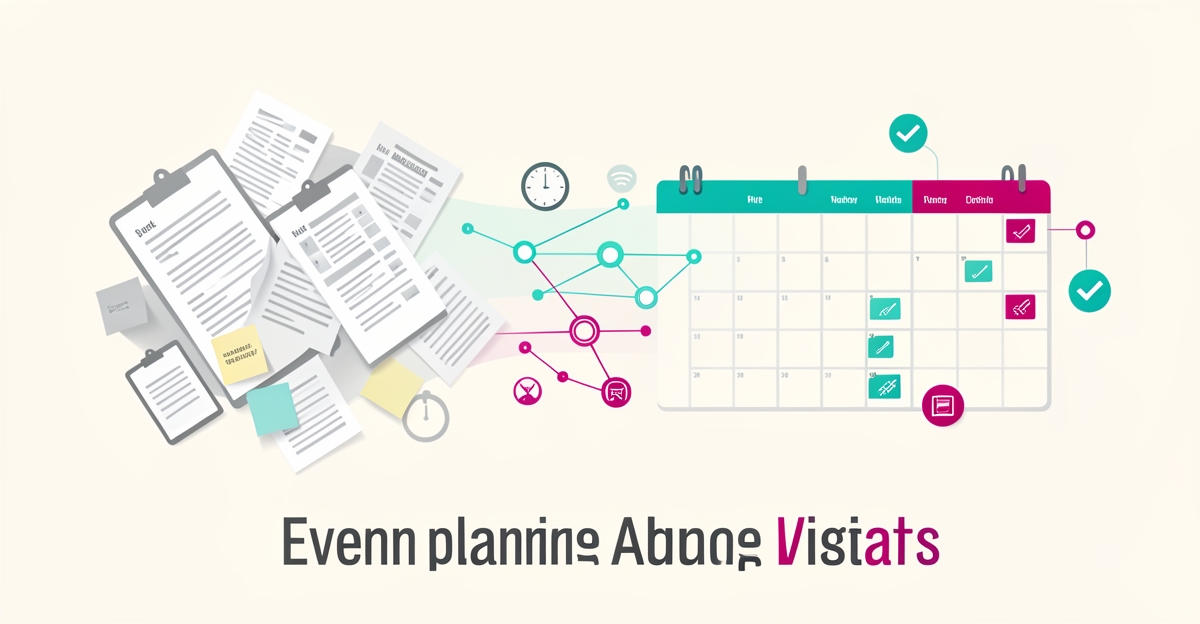
From Paper to AI: How Event Planners Can Automate Vendor Scheduling in Real Time
Key Facts
- AI assistants can deflect up to 70% of repetitive attendee queries, saving a full team member's worth of time every event day according to vFairs
- An education consulting firm reclaimed 10+ hours per week by eliminating duplicate data entry through workflow automation per LinkedIn research
- Internal tools built with proper prompting frameworks can boost team efficiency by 50% or more per workflow automation best practices
- Event planners act as project managers for people who don't even work for their company, vendors, venue staff, volunteers, sponsors, and speakers per Noah Cheyer
- AI-driven calendar tools understand plain English commands, extract events from PDFs, and work across time zones without manual conversion per industry analysis
- AIQ Labs has deployed 200+ multi-agent systems in production and runs 4 live SaaS products daily on its own infrastructure
Hire a team member that works 24/7 — for less than a part-time wage.
AI receptionists, SDRs, dispatchers and 99+ roles. Trained on your business, fully managed.
Not sure where to start? Ask our AI planner
The Hidden Cost of Manual Vendor Coordination in Event Planning
Every corporate event planner knows the drill: a single venue change triggers a cascade of phone calls, email threads, and calendar updates that can consume an entire afternoon. Multiply that by the dozens of vendors, sponsors, AV teams, and speakers involved in a single event, and manual coordination becomes a full-time job on its own.
The scope of this challenge is significant. As Noah Cheyer observes, event planners function as project managers for people who don't even work for their company, vendors, venue staff, volunteers, sponsors, and speakers all change with every single event. Each of these stakeholders requires individualized timelines, format-specific updates, and task dependencies that manual systems struggle to track.
The productivity drain shows up in measurable ways. Research on workflow automation best practices suggests teams routinely lose 10+ hours per week to duplicative work, the kind of repetitive data entry and cross-platform updating that dominates vendor coordination. When an education consulting firm eliminated this duplicate data entry through automation, they reclaimed those ten hours weekly for strategic work.
Manual coordination creates specific friction points that compound across every event:
- Spending three hours writing update emails to ten different groups about one venue change
- Tracking vendor-specific deliverables across disconnected spreadsheets and inboxes
- Manually reconciling calendar conflicts across time zones and external schedules
- Chasing confirmations that slip through cracks in overflowing inboxes
- Rebuilding task lists from scratch when dependencies shift
These aren't just annoyances, they represent missed confirmations and calendar conflicts that can derail entire events. When a vendor's availability changes or a confirmation email goes unread, the manual system offers no safety net.
The alternative is already here. According to industry analysis, AI assistants can deflect up to 70% of repetitive coordination queries, effectively saving a full team member's worth of time every event day. Instead of drafting individual stakeholder updates, planners can generate vendor-specific timelines with exact deliverables and task lists that account for external dependencies automatically.
At AIQ Labs, we've seen how custom AI workflow automation transforms this chaos into orchestrated calm. By integrating with existing calendar systems and communication tools, these systems handle the routine coordination while flagging only the exceptions that genuinely need human judgment. The result isn't just efficiency, it's the difference between reactive firefighting and proactive event strategy.
How AI-Powered Workflow Automation Eliminates Vendor Scheduling Chaos
Vendor coordination doesn't have to mean endless email chains and spreadsheet chaos. AI-powered workflow automation transforms this reactive scramble into a proactive system that handles scheduling, confirmations, and conflict detection in real time, freeing planners to focus on the strategic and creative work that actually makes events memorable.
The shift starts with intelligent calendar synchronization. Modern AI tools don't just display availability, they actively find open time slots across multiple stakeholders, handle rescheduling automatically, and work across time zones without manual conversion. According to industry analysis of AI-driven calendar tools, these systems understand plain English commands, extract events from documents like PDFs, and maintain workflow organization with minimal manual effort. One education consulting firm saved over 10 hours per week by eliminating duplicate data entry through this kind of automation.
But scheduling is only the beginning. AI systems can now generate vendor-specific timelines with exact deliverables, draft stakeholder updates in each person's preferred format, and create task lists that account for external dependencies. As event planning expert Noah Cheyer explains, this eliminates the need to spend three hours writing update emails to ten different groups about a single venue change. The AI handles it in minutes, ensuring every vendor receives precisely the information they need in the format they prefer.
The most powerful systems operate as what Cheyer calls a "backup brain" for event professionals. They don't just react to changes, they anticipate them. When a venue confirms a new load-in time, the AI automatically updates dependent tasks, notifies affected vendors, and flags potential conflicts before they become problems. This dependency-aware approach transforms coordination from a constant game of catch-up into a strategic advantage.
Implementation requires thoughtful setup. According to workflow automation best practices, successful teams map current processes step-by-step, integrate platforms like CRM and project trackers, and establish human oversight for high-risk decisions. The goal isn't to eliminate human judgment but to augment it, AI handles routine scheduling while people focus on strategic prioritization and relationship management.
At AIQ Labs, we build custom AI systems that integrate with existing event tools to create this seamless vendor management experience. Rather than forcing planners to adopt yet another platform, we architect solutions that work within current workflows, syncing calendars, automating confirmations, and flagging conflicts in real time. The result is coordination that feels effortless, even as event complexity grows.
Implementing Real-Time Vendor Scheduling with AIQ Labs’ Custom Approach
Manual vendor scheduling for corporate events often consumes 10+ hours per week of planner time, creating bottlenecks that delay confirmations and increase error rates. By mapping current workflows and identifying repetitive coordination tasks, teams can pinpoint where automation delivers the greatest impact. AIQ Labs’ AI Workflow Builds start with the one workflow that costs the most, vendor scheduling, in this case, as a scoped, fixed-price, phased build, so planners automate calendar syncing, confirmation sends, and conflict detection while owning the solution outright. Workflow automation best practices emphasize beginning with a clear process map to avoid automating inefficiencies.
Implementation begins with integrating AI into existing tools like CRM systems, Google Calendar, and communication platforms such as email or SMS. AI agents securely connect to these systems to extract vendor availability, update schedules in real time, and trigger automated follow-ups without manual intervention. This creates a unified operational view where changes in one system, like a venue time shift, automatically propagate to vendor calendars and task lists. Each integration is built incrementally, so planners confirm one piece works before moving to the next phase.
Human-in-the-loop oversight is embedded at critical decision points, such as approving vendor substitutions or resolving scheduling conflicts that require nuanced judgment. AI handles routine tasks like sending availability requests and logging responses, while planners review exceptions through a centralized dashboard. This balance ensures efficiency without sacrificing control, aligning with expert guidance that AI should augment, not replace, human expertise in event management. Industry insights show that automating vendor coordination can save planners hours per event by eliminating manual update emails and timeline creation. By progressing through defined milestones, mapping, integration, oversight setup, and testing, teams achieve measurable time savings while building a foundation for broader automation across event workflows. When you're ready, the 2-minute Fit Check is the fastest way to find out whether your scheduling workflow is a fit.
Still paying for 10+ subscriptions that don’t talk to each other?
We build custom AI systems you own outright. No vendor lock-in. Full control.
Not sure where to start? Ask our AI planner
Frequently Asked Questions
How much time do event planners typically lose to manual vendor coordination each week?
Can AI really handle vendor scheduling without constant human oversight?
What specific tasks can AI automate when a venue changes last minute?
How does AI-powered scheduling work across different time zones and calendars?
What percentage of repetitive coordination queries can AI assistants deflect in event planning?
Is implementing AI for vendor scheduling disruptive to existing event planning workflows?
Make AI your competitive advantage — not just another tool.
Strategy, implementation and ongoing optimization. One partner, end to end.
Not sure where to start? Ask our AI planner