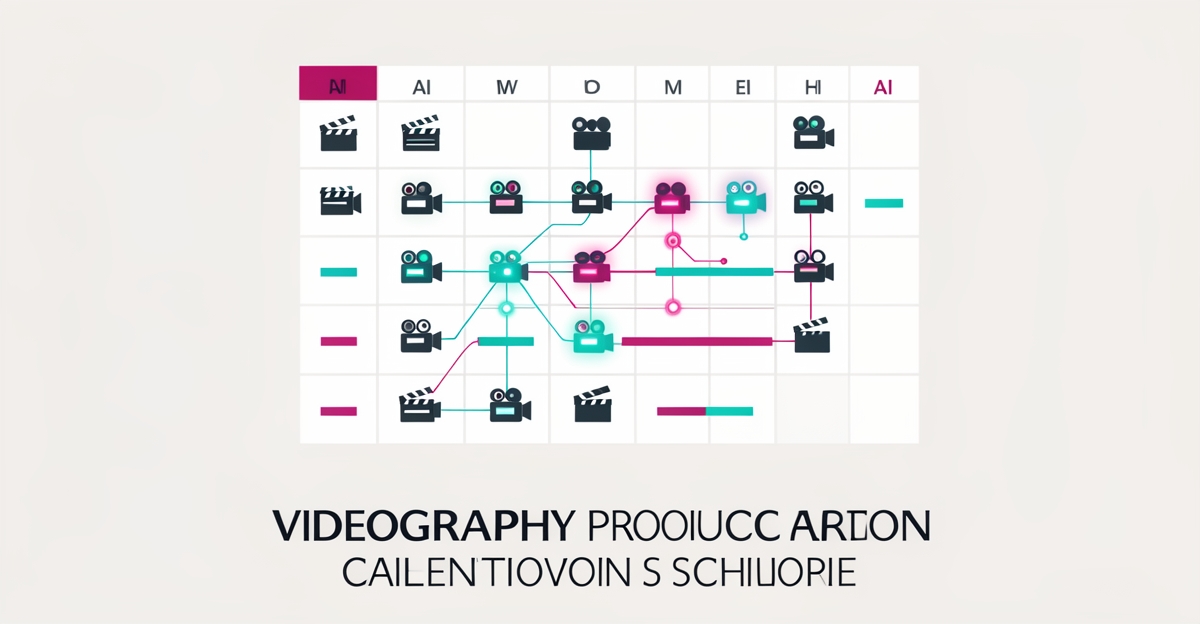
How an AI-Driven Content Calendar Can Optimize Your Videography Shoot Schedule
Key Facts
- AI-assisted planning tools can cut content scheduling time substantially, many teams report roughly half the planning effort compared to manual calendars.
- Static calendars fail because audience interest shifts fast; a topic that trends in spring can be dead by summer.
- Scoring frameworks that rate opportunities on demand, competition, effort, and fit remove subjective scheduling decisions.
- Trend data (e.g., Google Trends) lets you trigger production weeks ahead of predictable seasonal search spikes, wedding season, holiday campaigns, graduation.
- A single well-planned shoot can yield dozens of repurposed assets when the calendar plans for clips, stills, and cutdowns up front.
Hire a team member that works 24/7 — for less than a part-time wage.
AI receptionists, SDRs, dispatchers and 99+ roles. Trained on your business, fully managed.
Not sure where to start? Ask our AI planner
Why Most Videography Shoot Schedules Fail Before the Camera Rolls
Most videography businesses don't have a scheduling problem, they have a prediction problem. The typical shoot calendar is built backwards: someone picks dates, blocks crew, and then hopes the content lands when audiences actually care. When a wedding videographer books a styled shoot in April hoping to attract fall clients, or a commercial shop produces holiday content in December instead of September, the calendar itself is working against the market.
The failure pattern is predictable. Calendars are static while demand is not. Topics that trend in one season fade in the next, and a calendar built once a year in a planning meeting is stale within months. Meanwhile, scheduling decisions get made on gut feel, whoever argues loudest for a slot wins, and the shoots that would have produced the highest return never make it onto the schedule at all.
The cost shows up in three places: idle crew during quiet weeks, double-booked resources during peak demand, and content that publishes weeks after the audience stopped searching. An AI-driven content calendar attacks all three by replacing guesswork with demand signals.
The Three-Layer AI System That Turns Scheduling Chaos Into a Predictive Pipeline
A working AI-driven calendar for a videography business usually has three layers:
Layer 1: Signal collection. The system pulls data continuously, search trends, seasonal patterns from past bookings, client inquiry volume, and platform performance from previously published videos. This is the raw material that a static calendar never sees.
Layer 2: Scoring and prioritization. Instead of debating which shoot to book next, each opportunity gets scored on consistent criteria: expected demand, production effort, client fit, and revenue potential. A simple 0–100 score across these dimensions removes the subjective arguments. The shoot with the highest score goes to the top of the calendar, and everyone can see why.
Layer 3: Automated scheduling and triggering. Once priorities are set, the system works backwards from publish dates. If holiday campaign videos perform best from early November, and your production cycle takes six weeks, the calendar triggers pre-production in late September, automatically, before anyone has to remember.
The result is a pipeline rather than a to-do list: demand signals feed priorities, priorities feed dates, and dates feed production tasks.
Mapping Seasonality and Client Demand to Your Shoot Calendar Automatically
Videography demand is intensely seasonal, and most of it is predictable years in advance. Wedding season, graduation, holiday commercials, New Year fitness campaigns, summer tourism content, these spikes recur on schedule. Public trend data such as Google Trends makes it straightforward to map when search interest for each content type rises and falls.
An AI-driven calendar connects those curves to your production lead times. The practical rule: start production roughly six to eight weeks before the search spike for the content type you serve. That lead time covers pre-production, shooting, editing, review cycles, and platform scheduling, so the video is live when demand arrives, not three weeks after.
The same mapping works in reverse for the quiet periods. When the calendar shows a demand trough, that's your window for evergreen content, portfolio-building experimental shoots, equipment maintenance, and the internal projects that always get postponed during busy season. Instead of quiet weeks being lost revenue, they become scheduled capacity.
From One Shoot to Thirty Assets: AI-Powered Repurposing That Multiplies Every Booking
The biggest scheduling insight most videography businesses miss: a shoot isn't one deliverable, it's a bundle of them. A single half-day commercial shoot can yield the hero video, three short cutdowns for social, a set of stills, a behind-the-scenes reel, and several quote-card clips. But that only happens if the calendar plans for it before the shoot is booked.
Here's where AI changes the math. When your content calendar is built around demand data, it can tell you in advance which derivative assets each shoot should produce. If the calendar shows that short vertical clips are what your audience engages with in Q4, the shot list includes vertical framing. If a client's audience responds to testimonial-style content, the shoot schedule includes time for those interviews.
AI tools also accelerate the post-shoot work: transcribing footage, tagging usable moments, drafting captions and platform-specific copy, and generating the repurposing plan for each asset. The shoot itself stays creative and human, the system just makes sure nothing you paid to capture ends up on a hard drive, unused.
For a business running on tight margins, this is the difference between a calendar that schedules shoots and a calendar that schedules returns.
Building Your AI-Driven Shoot Schedule: Where to Start and What to Avoid
You don't need to rebuild your entire operation on day one. The most reliable path is to start with the one workflow that costs you the most, usually either the scheduling/prioritization process itself or the post-shoot repurposing pipeline, and automate that first, then expand in phases as the results prove out.
A few principles that separate successful implementations from expensive mistakes:
- Keep humans in charge of creative decisions. AI should propose data-backed directions; your team holds final authority on what gets shot and how. Efficiency shouldn't come at the cost of the work being yours.
- Start with your own data. Your past bookings, inquiry patterns, and video performance are more predictive for your business than generic industry benchmarks.
- Plan for lead times, not just dates. A calendar that only lists publish dates will always be late. Work backwards from demand spikes to production triggers.
- Own the system. If you rent a generic tool forever, your scheduling logic lives in someone else's product. Building something you own outright means it reflects your client types, your seasons, and your pricing.
If you want a structured way to do this, AIQ Labs offers three entry points: AI Workflow Builds rebuild the single workflow that costs you the most at a fixed price, AI Employees add managed AI staff for roles like scheduling coordinators and content planners, and AI Operating Systems connect everything into one layer you own outright. Payment is flexible: start monthly, build in milestones, or own it outright, no invented case-study numbers, just a system built around your actual calendar.
Still paying for 10+ subscriptions that don’t talk to each other?
We build custom AI systems you own outright. No vendor lock-in. Full control.
Not sure where to start? Ask our AI planner
Frequently Asked Questions
How does an AI-driven content calendar actually optimize my videography shoot schedule?
What's the real ROI of switching to an AI-powered content calendar for video production?
Will AI automation replace the creative decisions my videography team makes?
How does AI handle seasonal fluctuations in videography demand?
What's the investment required to implement AI-driven scheduling for a video production business?
How does an AI content calendar help my videos rank better on search and social platforms?
From Shoot Chaos to Strategic Content Flow
An AI-driven content calendar transforms videography scheduling from a reactive guessing game into a proactive, data-powered system that aligns shoots with seasonal demand, client priorities, and peak engagement windows. By scoring opportunities consistently, triggering production ahead of demand spikes, and planning every shoot as a bundle of repurposable assets, you cut planning time, minimize conflicts, and make sure your team's effort lands when it matters. Ready to see how this works for your specific workflow? Run the free 2-minute Fit Check at aiqlabs.ai/apply, then book a free 30-minute strategy call at aiqlabs.ai/book, no obligation, just clarity on where AI can tighten your shoot schedule first.
Make AI your competitive advantage — not just another tool.
Strategy, implementation and ongoing optimization. One partner, end to end.
Not sure where to start? Ask our AI planner