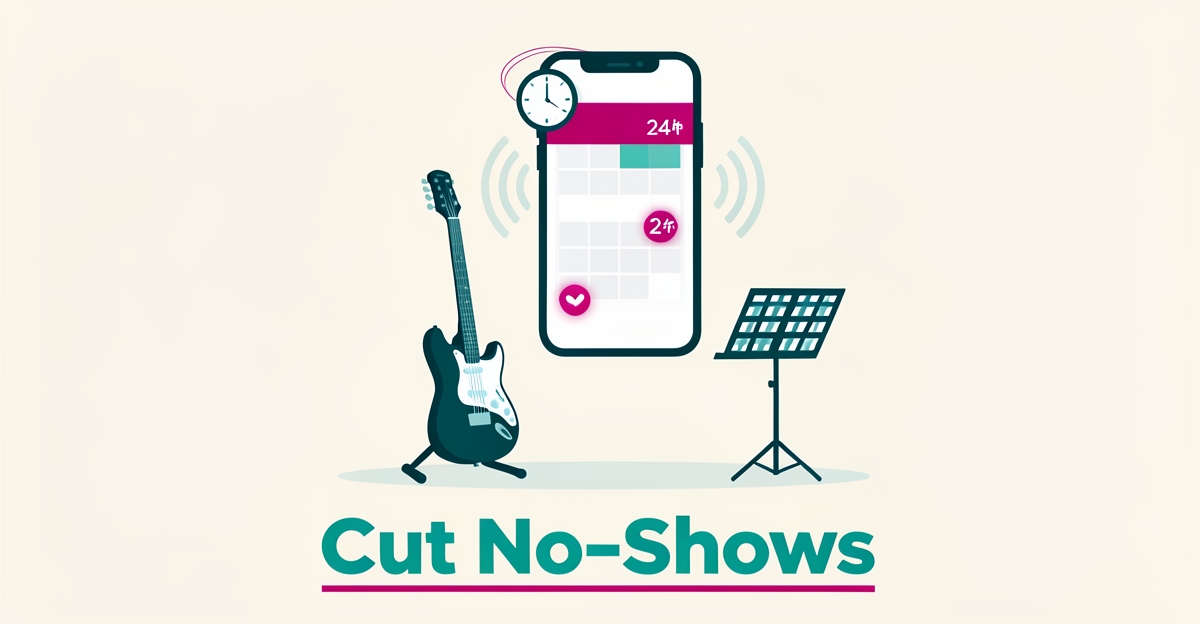
How Music Lesson Studios Can Cut No-Show Rates with AI-Driven Appointment Reminders
Key Facts
- 95% of AI pilots show no measurable ROI when evaluated beyond the pilot according to industry research
- 70% of employees use "Shadow AI" without training or governance per General Assembly research
- Nearly $2 trillion in global economic value is lost annually due to workflow inefficiencies per workflow analysis
- Only 7% of AI spend goes to workforce development, 93% goes to technology per General Assembly research
- AI only creates value when it fixes the workflow per Docusign's Stéphane Barberet
- Structured automation with 24-hour and 2-hour reminders reduces no-shows by respecting parent schedules per workflow optimization principles
- Personalized reminders with student name and instructor details increase parent engagement per AI adoption research
Hire a team member that works 24/7 — for less than a part-time wage.
AI receptionists, SDRs, dispatchers and 99+ roles. Trained on your business, fully managed.
Not sure where to start? Ask our AI planner
The Hidden Cost of No-Shows in Music Studios
Every empty lesson slot is money that never comes back. When a student doesn't show, the instructor's hour is gone, the family still expects a make-up, and the studio absorbs the loss with no mechanism to recover it. For most studios running on thin margins, a handful of no-shows each week quietly compounds into thousands of dollars in annual revenue leakage.
The frustrating part is that most no-shows aren't malicious, they're forgetful. Parents juggle work, school runs, and siblings' activities, and a lesson on Tuesday at 4 PM simply slips their mind. The problem isn't bad customers; it's a broken follow-up workflow.
Manual reminder systems fail for predictable reasons:
- Calendars, booking tools, and parent communication channels live in disconnected systems, so reminders depend on someone remembering to send them.
- Follow-up is inconsistent, a reminder goes out when the front desk has a spare minute, which is often after the lesson was already missed.
- Staff bandwidth is finite; every hour spent chasing confirmations is an hour not spent teaching, enrolling, or retaining students.
This pattern isn't unique to music studios. A workflow analysis by Docusign's Stéphane Barberet found that businesses lose time not because they lack tools, but because processes "still move through disconnected systems, inboxes and document versions." His conclusion applies directly here: "AI only creates value when it fixes the workflow." Nearly $2 trillion in global economic value is lost annually to exactly this kind of process inefficiency.
The research also carries a warning for studios tempted to bolt a generic app onto the problem. According to General Assembly's AI education research, 95% of AI pilots show no measurable ROI beyond the pilot stage, and 70% of employees use "Shadow AI" without training or governance. Technology dropped onto a broken process doesn't fix attendance, it just adds another subscription to manage.
The fix is automation embedded where the work actually happens: reminder logic tied directly to the studio's calendar, triggered automatically at proven intervals, and delivered through the channels parents already use, SMS, email, or messaging apps. Because the system runs itself, follow-up becomes consistent by design rather than dependent on whoever happens to be at the front desk. This is exactly what AIQ Labs' AI Workflow Builds are designed for: rebuilding the one workflow that costs your studio the most, in this case, attendance follow-up, at a fixed price and in clear phases, so no-show recovery stops being a manual chore and becomes infrastructure.
The leaky bucket can be patched. It starts with understanding exactly where your reminders are breaking down today.
Why AI Reminders Work When Bolted-On Tools Don't
Bolted-on AI tools often fail because they sit outside existing workflows, creating friction rather than solving it. Research shows that 95% of AI pilots deliver no measurable ROI when evaluated beyond the initial test phase, largely due to poor integration with daily operations (industry research). For music lesson studios, this means standalone reminder apps that require manual data entry or separate logins add work instead of reducing it.
True value emerges when AI is embedded into core processes, like calendar systems and parent communication channels, so reminders happen automatically at the right time and through the preferred method. As workflow optimization experts note, AI only creates value when it fixes the workflow by automating repeatable tasks, applying consistent checks, and helping teams move faster without losing control (workflow optimization principles). This approach transforms reminders from a chore into a seamless part of studio operations.
- Integrates with Google Calendar, Apple Calendar, or studio scheduling software
- Sends personalized reminders via email, SMS, or messaging apps based on parent preferences
- Automates timing (e.g., 24-hour and 2-hour pre-lesson nudges)
- Logs delivery status and responses for audit and follow-up
- Scales across multiple instructors and locations without added effort
When AI works inside the workflow, not on top of it, studios gain reliability, personalization at scale, and freedom from manual follow-up. This is how AIQ Labs designs systems: not as add-ons, but as invisible infrastructure that makes existing processes work better. And for studios that want the front desk itself handled, AI Employees can cover reception and follow-up roles at a fraction of the cost of a human hire. The result isn't just fewer no-shows, it's a studio where administration supports teaching, not interrupts it.
Building an AI Reminder System That Parents Actually Respond To
An effective AI reminder system starts with precision timing that respects parents' schedules while maximizing response likelihood. Research shows that structured automation delivers the greatest value when it fixes underlying workflow inefficiencies rather than operating as a standalone tool. Workflow optimization principles confirm that AI becomes truly useful when embedded into existing processes to automate repeatable tasks and apply consistent checks without sacrificing control.
For music lesson studios, this means implementing a dual-window reminder strategy: a 24-hour advance notice allows parents to adjust plans if needed, while a 2-hour alert serves as a final nudge to prevent forgetfulness. This timing logic aligns with how families manage busy calendars, giving meaningful lead time without creating notification overload. The system should dynamically adjust based on lesson type, instructor availability, and historical attendance patterns to avoid sending reminders for already-confirmed or rescheduled sessions.
Personalization transforms generic alerts into messages parents actually engage with. Including the student's name, instructor, instrument, and lesson duration creates immediate relevance, parents are far more likely to act when they see their child's specific details rather than a template notice. Channel preference mapping is equally critical: some families respond best to SMS, others to email or app notifications, and the system should learn and adapt to these preferences over time to maximize open and response rates.
To prevent message fatigue, a known risk when automation feels impersonal or excessive, studios need built-in guardrails. These include frequency caps (no more than two reminders per lesson), opt-down options for parents who prefer fewer alerts, and contextual suppression when a parent has already confirmed attendance. As AI adoption research reveals, 70% of employees use "Shadow AI" without training, highlighting the importance of transparent systems that users understand and trust. By combining workflow-aware timing, deep personalization, and intelligent fatigue prevention, studios can build reminder systems that feel helpful, not robotic, driving real improvements in show rates.
Implementation Roadmap: From Pilot to Studio-Wide Rollout
Most studios start with good intentions and end with another unused tool. A structured rollout protects the investment and avoids the common trap where 95% of AI pilots show no measurable ROI when evaluated beyond the pilot.
Start with workflow assessment. Map how appointments are booked today, which calendar is the source of truth, and where reminders are sent manually. Document pain points like missed follow-ups and inconsistent timing. This baseline makes improvement measurable.
Integration mapping comes next. Identify the calendar systems and parent communication channels already in use, such as email, SMS, or messaging apps. AI delivers maximum value when it is built into those workflows to automate repeatable tasks, apply consistent policy checks and help teams move faster without losing control, as described in workflow optimization principles.
Configuration focuses on reminder logic. Define timing, message content, and channel preference per family. Personalization with student name, lesson details, and instructor name increases relevance without adding staff work.
Pilot testing limits risk. Run the system with one instructor or one instrument track for 2-4 weeks. Track no-show rates, delivery rates, and parent feedback. Governance during pilot prevents the shadow adoption seen when 70% of employees use Shadow AI without training or governance.
Staff training ensures adoption. Instructors and admin need clear playbooks for overrides, opt-outs, and troubleshooting. Training is often underfunded, with only 7% of AI spend going to the workforce, yet it drives consistent use.
Performance monitoring turns data into decisions. Review weekly dashboards for attendance, reminder engagement, and exceptions. Refine timing and copy based on real response patterns.
Scale implementation studio-wide after pilot success. Roll out by cohort, keep human-in-the-loop escalation for special cases, and document standard operating procedures.
Governance and measurement keep the rollout from stalling. A practical framework includes:
- Pilot charter with success metrics and exit criteria
- Integration checklist for calendars and communication channels
- Staff training and feedback loop
- Weekly KPI review for no-show rate and parent engagement
AIQ Labs supports studios through this path with a phased, milestone-based build: the reminder workflow is rebuilt at a fixed price, delivered in phases you approve, and owned outright once complete, no ongoing rental of someone else's software. With clear steps, measurement, and ownership of the built system, studios move from pilot to permanent improvement. Larger operations can go further with an AI Operating System that connects scheduling, reminders, billing, and communication in one layer.
What This Looks Like in Practice: A Studio Owner's View
It's 3:47 PM on a Tuesday, and a parent's phone buzzes with a text: "Hi Sarah, just a friendly reminder that Emma's piano lesson with Mr. Daniels is tomorrow at 4:00 PM. See you then!" She taps a quick confirmation, and the studio's calendar updates automatically. No phone tag, no sticky notes, no forgotten lesson.
This is what AI-driven appointment reminders look like at the ground level: a personalized SMS sent at precisely the right moment, triggered by the calendar itself rather than someone's memory. According to workflow optimization research, AI becomes useful when it is "built into those workflows to automate repeatable tasks, apply consistent policy checks and help teams move faster without losing control." The reminder isn't a standalone gadget, it's embedded where the scheduling work already happens.
For the studio owner, the experience runs through a dashboard rather than an inbox. Instead of juggling disconnected systems and inboxes, one of the key workflow issues that cause businesses to lose time on routine processes, the owner opens a single view showing appointment status, reminder delivery, and confirmation rates. When a parent doesn't respond, the system escalates with a second touch, and the front desk knows exactly which families need a human phone call.
The daily operations transform in ways that compound:
- Reminders go out at consistent, optimized times (for example, 24 hours and 2 hours before each lesson) without anyone lifting a finger
- Messages arrive through each parent's preferred channel, SMS, email, or messaging apps
- No-show patterns become visible in reporting, so the owner can refine timing and message content
- Instructors walk into every lesson knowing exactly who's confirmed and who needs follow-up
The revenue connection is direct. Every recovered lesson is billable income that manual reminder systems routinely leak, because, as Docusign's Stéphane Barberet puts it, businesses don't lose time on a process because they lack AI tools; they lose it because steps still move through disconnected systems and inboxes. Fixing the workflow, not bolting on technology, is what turns reminders into recovered revenue.
There's a cautionary note worth heeding. General Assembly research found that 95% of AI pilots show no measurable ROI when evaluated beyond the pilot, usually because the technology isn't integrated into daily operations or the team isn't trained on it. Studio owners who succeed treat the reminder system as standard operating procedure, with staff trained and no-show rates tracked from week one.
This is the model AIQ Labs builds for studios: custom automation that integrates with existing calendars and parent communication channels, so the system runs reliably without manual work. The parent gets a helpful text. The instructor sees a confirmed roster. The owner watches the no-show rate drop on the dashboard, and the schedule, finally, fills the way it should.
Still paying for 10+ subscriptions that don’t talk to each other?
We build custom AI systems you own outright. No vendor lock-in. Full control.
Not sure where to start? Ask our AI planner
Frequently Asked Questions
Why do most music studios still have high no-show rates even when they use reminder tools?
What timing works best for AI-driven appointment reminders in music studios?
How can studios avoid parents ignoring or getting annoyed by automated reminders?
Is it worth the effort to implement an AI reminder system if most AI pilots fail?
What should a music studio do first when considering an AI reminder system?
Can AI reminder systems work with the calendars and communication tools my studio already uses?
Turning Forgotten Lessons into Found Revenue
No-shows in music studios aren't about bad intentions, they're about broken workflows. Manual reminders fail because they rely on human memory in a world of disconnected calendars and communication tools. The real solution isn't bolting on another app; it's embedding AI-driven automation where the work already happens, integrating with existing calendars, sending personalized reminders via parents' preferred channels, and triggering consistent, timed nudges without staff effort. When reminders become infrastructure, studios recover lost revenue, free up instructor time, and turn administration into a quiet support system for teaching. The path forward starts with assessing your current workflow and identifying where reminders break down. Take the first step: complete the two-minute Fit Check at aiqlabs.ai/apply, then book a free 30-minute strategy call at aiqlabs.ai/book to map your biggest bottleneck and see if AI workflow automation is the right fit for your studio.
Make AI your competitive advantage — not just another tool.
Strategy, implementation and ongoing optimization. One partner, end to end.
Not sure where to start? Ask our AI planner