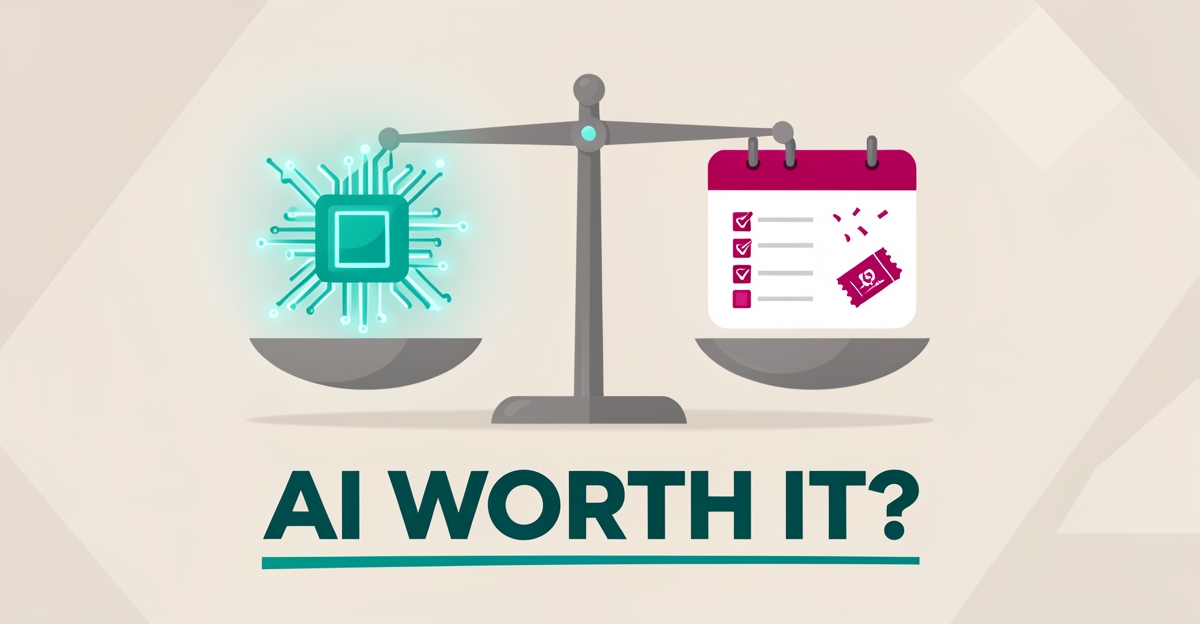
Is AI Worth It for Event Planning? A Cost-Benefit Breakdown for SMBs
Key Facts
- A majority of business owners believe AI can help them save money, according to recent research
- Industry analysis suggests AI can meaningfully improve data accuracy in event operations when fed clean inputs
- Eventbrite has reported that its AI tools reduce event creation and social media campaign times by roughly 30% compared to non-AI copy
- AI-driven ads on Facebook and Instagram have achieved a reported 17% decrease in cost-per-click compared to non-AI campaigns
- AI staff typically cost around 80% less than an equivalent human hire, per AIQ Labs' current AI Employees pricing model
- AI can automate email updates, scheduling, and lead analysis to save time and reduce costs according to event planning experts
Hire a team member that works 24/7 — for less than a part-time wage.
AI receptionists, SDRs, dispatchers and 99+ roles. Trained on your business, fully managed.
Not sure where to start? Ask our AI planner
The Real Cost of Manual Event Planning
Most event planning SMBs don't have a revenue problem, they have a hours problem. Every event cycle, the same tasks repeat: answering the same vendor and attendee emails, chasing RSVPs, rebuilding run-of-show documents, manually updating spreadsheets, and fielding calls that pull your senior planners away from work only they can do.
Put a rough number on it. If a coordinator spends 15 hours a week on repetitive communication and scheduling, that's roughly 750 hours a year, the equivalent of nearly half a full-time role spent on work a machine can do. That's the real cost of staying manual, and it compounds across every event you run.
The other cost is quieter: missed leads. An inquiry that comes in at 7pm Friday and isn't answered until Monday often goes to a competitor. Manual workflows don't just burn time, they leak revenue.
What the Numbers Say: AI's Measurable ROI for Event Planners
Vendor-reported numbers should always be taken with a grain of salt, but the direction is consistent. Eventbrite has reported that its AI tools cut event creation and social media campaign times by roughly 30% compared to non-AI copy, and that AI-driven ad campaigns on Facebook and Instagram achieved about a 17% lower cost-per-click. Eventbrite's own guide is a useful reference point, though your results will depend on your data and workflows.
The bigger ROI for most SMBs isn't in marketing copy, it's in staffing. An AI employee, an AI receptionist, SDR, or dispatcher, typically costs around 80% less than a human hire in the same role, works around the clock, and doesn't take sick days. For an event planning business, that means every after-hours inquiry gets answered and every lead gets a same-day response without adding headcount.
Then there's the compounding effect: faster response times convert more inquiries, cleaner data improves every future decision, and your senior staff spend their hours on the work clients actually pay premium rates for.
Where AI Fits in Your Event Workflow (and Where It Doesn't)
AI is worth it where the work is repetitive, high-volume, and rule-based. For event planners, that usually means:
- Inquiry handling and reception, answering pricing and availability questions instantly, at any hour
- Scheduling and follow-up, booking consultations, chasing deposits, sending reminders
- Vendor and attendee communication, templated updates, status emails, FAQ responses
- Marketing content, first-draft event listings, social copy, and email campaigns (with human review)
- Data entry and reporting, RSVP tracking, budget updates, post-event summaries
Where AI isn't worth it: creative direction, high-stakes client relationships, negotiation with vendors, and anything where a wrong answer does real damage without a human checking it. AI drafts the run-of-show; your planner owns it.
If one workflow is bleeding the most money, say, lead follow-up, a fixed-price AI Workflow Build targets exactly that, in phases, before you touch anything else. Businesses running many events a year eventually graduate to a connected AI Operating System that ties everything together, but that's a later-stage decision, not a starting point.
The Cost-Benefit Framework: How to Decide Before You Buy
Before spending anything, run this simple test on each candidate workflow:
- Count the hours. How many hours per week does your team spend on this task? Multiply by loaded hourly cost.
- Count the leakage. How many leads, bookings, or upsells are lost because the task is slow or inconsistent?
- Estimate the build cost. A single workflow rebuild is a fixed-price, phased project, you should know the number before you start, not after.
- Compare honestly. If monthly savings plus recovered revenue exceed the monthly cost within a reasonable payback window, proceed. If not, don't.
Payment models matter here. AIQ Labs offers three: Start Monthly (low commitment, prove value first), Build in Milestones (pay as each phase delivers), and Own It Outright (no recurring licensing). The right one depends on how central the workflow is to your business, details on the pricing page. No honest vendor will promise you a specific ROI number before looking at your actual numbers, and you should be skeptical of anyone who does.
Your 90-Day AI Adoption Roadmap
Days 1–14: Assess. Take the two-minute Fit Check, then book a free 30-minute strategy call to map your biggest bottleneck. You'll leave knowing which single workflow costs you the most.
Days 15–45: Build one thing. Rebuild that one workflow, usually inquiry handling or follow-up automation, as a fixed-price, phased project. Don't attempt five things at once.
Days 46–75: Measure. Track response times, booked consultations, and hours saved against your pre-AI baseline. This is where the cost-benefit math becomes real instead of theoretical.
Days 76–90: Decide. If the numbers work, expand to the next workflow or add an AI employee role. If they don't, you've learned that cheaply and can stop, which is itself a win.
The SMBs that fail at AI adoption are usually the ones that bought tools before they knew which workflow was bleeding money. The ones that succeed start small, measure, and scale what works.
Still paying for 10+ subscriptions that don’t talk to each other?
We build custom AI systems you own outright. No vendor lock-in. Full control.
Not sure where to start? Ask our AI planner
Frequently Asked Questions
How much time can AI actually save my event planning team?
Will AI really help me cut costs, or is it just another subscription to pay for?
Which AI tools are actually worth using for event planning versus just hype?
Can AI personalize the attendee experience without feeling robotic or creepy?
What's the biggest mistake SMBs make when adopting AI for events?
How do I know if my event planning workflow is ready for AI automation?
Make AI your competitive advantage — not just another tool.
Strategy, implementation and ongoing optimization. One partner, end to end.
Not sure where to start? Ask our AI planner