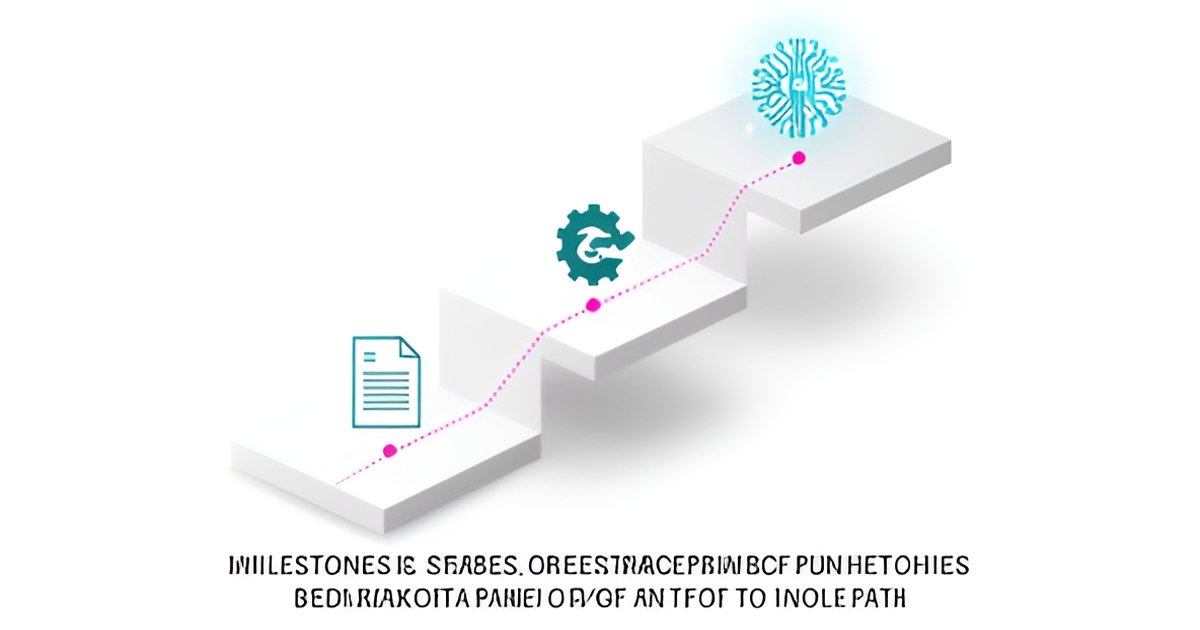
Milestone Planning Template for AI Invoice Automation
Key Facts
- 73% of finance teams have only partially automated invoice processing, and another 27% have none at all, according to AP automation statistics.
- End-to-end AP automation cuts cost per invoice from $12–$40 to $1.45–$2.00, an 80% reduction per published business cases.
- Full payback on AP automation typically lands within 6–12 months per NetSuite's business case analysis.
- In a 629-firm CPA survey, change management driven by technology and AI ranked as the No. 1 challenge for the next five years per 2026 industry statistics.
- Leading AP teams process invoices in 3.1 days versus 17.4 days at the average organization per Accounting Seed benchmarks.
- Best-in-class AP teams achieved 52.8% touchless invoice processing in 2025, up from 47.2% the prior year, with top-decile teams exceeding 70% per industry data.
- Firms investing in AI training unlock an additional seven weeks of capacity per employee per year according to industry statistics.
Hire a team member that works 24/7 — for less than a part-time wage.
AI receptionists, SDRs, dispatchers and 99+ roles. Trained on your business, fully managed.
Not sure where to start? Ask our AI planner
Why Invoice Automation Stalls Without a Milestone Plan
Ask most finance leaders how their invoice automation rollout is going, and the answer is usually "partially done." That's not a coincidence, it's the default outcome. Research shows 73% of finance teams have only partial automation, and another 27% have none at all. The technology works. The rollouts stall.
The reasons are predictable. In the 2026 PCPS CPA Firm Top Issues Survey of 629 firms, change management driven by technology and AI ranked No. 1 across all firm sizes for the next five years. Teams deploy software without training staff on exception handling or defining an escalation path. The result, as Accounting Seed puts it, is that staff either rubber-stamp AI recommendations or ignore them, which erases the benefit either way.
The second failure point is skipping preparation work. AI predictions are only as accurate as the coding history and vendor records behind them, and AI learns inconsistencies as readily as good habits. Teams that clean up recurring miscodes after rollout instead of before spend months fighting a system trained on bad data. The same goes for approval gates: if no controller or AP manager has confirmed who signs off on payment proposals before go-live, the workflow breaks on day one.
The third failure point is vagueness. Rollouts launched without quantified targets have no way to prove progress, which means no way to sustain buy-in. The benchmarks exist, leading AP teams process invoices in 3.1 days versus 17.4 days at the average organization, and full payback typically lands within 6–12 months. But those numbers only matter if you set them as milestone targets up front, with named owners and dates attached.
This is why a phased milestone plan outperforms a big-bang deployment:
- Each phase has a measurable exit point, so problems surface in weeks rather than after a full cutover.
- Data cleanup happens before the AI trains on your records, not after.
- Change management and training get budgeted into every milestone instead of bolted on at the end.
- Stakeholders see wins early, one company cut invoice backlogs in half within three months of a phased rollout.
The natural structure follows how the capability actually builds: first a Foundation stage covering data cleanup, governance, and a quantified business case; then Core Automation covering capture, extraction, matching, and approvals; finally an AI decision layer handling GL prediction and touchless processing. This mirrors the distinction practitioners draw between automation that executes a process and AI that improves the decisions behind it.
It's the same phased logic we apply at AIQ Labs when building invoice and AP automation for clients, one workflow, split into stages, each approved as it ships. The sections below turn that structure into a working template.
Stage 1: Foundation, Clean Data, Governance, and a Numbers-First Business Case
Before any AI touches an invoice, the ground it learns from has to be clean. AI predictions are only as accurate as the coding history and vendor records behind them, which is why the Foundation stage of any invoice automation rollout is about data cleanup, governance, and a numbers-first business case, not software selection.
Start with your data. AI learns inconsistencies as readily as good habits, so recurring miscodes, duplicated vendor records, and an inconsistent chart of accounts must be corrected before rollout, not after. Implementation guidance from Accounting Seed is blunt on this point: clean up recurring miscodes before the system ever sees them, or it will encode your errors as the new normal.
Governance comes next, and it belongs entirely in this stage. Approval gates need to be settled before go-live, with a controller or AP manager confirming every payment proposal. Auditors and compliance teams also need to see why the system made a call, not just what it decided, so build audit trails and human-in-the-loop controls into the design from day one.
The business case should be built the same way: from hard numbers drawn from company records, not anecdotes. NetSuite advises quantifying the manual workflow with actual data before presenting anything, and HighRadius recommends leading with the figures that matter most:
- Current cost per invoice, manual processing runs $12.00–$40.00, while end-to-end automation cuts this to $1.45–$2.00, roughly an 80% reduction
- Payback period, full payback on AP automation typically lands within 6–12 months
- Three-year ROI, projected from yearly savings, including discounts currently missed, such as the $100,000/year a company loses by capturing only half of available 2% early-payment discounts on $10M of annual spend
Anchor these projections to published benchmarks where your own records fall short. A company processing 5,000 invoices per month could save $55,650 annually, and a documented case study showed invoice backlogs cut in half within three months, with processing time dropping from eight days to three.
One more Foundation-stage line item that's easy to skip: change management. In a 2026 survey of 629 CPA firms, change management driven by technology and AI ranked as the number one expected challenge for the next five years. Budget training and stakeholder involvement into this stage, firms that invest in AI training unlock an additional seven weeks of capacity per employee per year.
At AIQ Labs, this is how every phased invoice automation build begins, with data cleanup, governance, and a milestone-based business case before a single agent is deployed. If you want a second opinion on whether your numbers support the build, the two-minute Fit Check at aiqlabs.ai/apply leads to a free 30-minute strategy call where we'll map your bottleneck and tell you plainly if there's a clear win.
Stage 2: Core Automation, Capture, Extraction, Matching, and Approval Routing
Once your data foundation is clean, Stage 2 is where the transformation becomes visible. This is the phase where invoices move from inbox to payment without someone retyping them into your ERP, and it's where your milestone plan needs hard, measurable targets.
The core workflow follows a proven sequence: capture, extraction, validation, matching, and approval routing, before payment execution and reconciliation, as outlined in AP automation research. Your milestones should mirror that pipeline, with each step instrumented so you can prove progress to stakeholders.
Quantified milestone targets for Stage 2
- Reduce invoice processing time by 75% within six months, a benchmark set in published AP automation business cases
- Cut invoice exceptions from 20% to under 5% as matching accuracy improves
- Halve your invoice backlog within three months, one documented case study cut processing time from eight days to three in that window
The economics justify the urgency. Manual invoice processing costs $12–$40 per invoice; end-to-end automation drops that to $1.45–$2.00, an 80% reduction. A company processing 5,000 invoices monthly could save roughly $55,650 annually at that rate.
Payback timelines reinforce the case. Full payback on AP automation typically lands within 6–12 months, and 92% of organizations report their finance AI initiatives are meeting or exceeding ROI expectations, per a KPMG study cited by HighRadius.
Approval routing deserves special attention here. Your governance gates should already be settled from Stage 1, a controller or AP manager confirming payment proposals before rollout, not after. As implementation guidance from Accounting Seed warns, without clear escalation paths, staff either rubber-stamp AI recommendations or ignore them, erasing the benefit either way.
At AIQ Labs, we structure this phase the same way our Build in Milestones model works: ship the capture-and-extraction layer first, validate accuracy, then activate matching and approval routing as a distinct, approvable phase. Each milestone produces evidence, cycle times, exception rates, backlog counts, that feeds the next decision.
Track two numbers weekly during this stage: exception rate and average cycle time. When exceptions fall below 5% and invoices clear in two to three days instead of seven to ten, Stage 2 is done and the AI decision layer can take over.
Stage 3: AI Decision Layer, Touchless Processing, GL Prediction, and Fraud Detection
There's a point in every invoice automation rollout where the workflow works, but the thinking doesn't. Stage 3 is where that changes, the difference between software that executes a process and AI that improves the decisions behind it over time.
The distinction matters because the two layers do different jobs. Baseline automation handles capture, approval routing, payment execution, and reconciliation. The AI decision layer sits on top of that, handling work that requires judgment: predicting the right general ledger code, catching duplicates before payment, recommending when to pay a supplier, and flagging anomalies that look like fraud. As implementation guidance puts it, automation executes a process while AI improves the decisions behind it, and the agentic version of this is already here, with systems that independently resolve minor exceptions, chase suppliers for missing information, and flag fraud without a human trigger.
The most valuable capability is GL prediction, and it has a predictable maturation curve. Most SMBs see a measurable drop in miscoded invoices within a 60–90 day window of AI adoption, because the model learns from every correction your AP staff makes. That's why Stage 3 milestone planning should treat accuracy as a ramp, not a launch-day property: set the target at "miscoding measurably reduced by day 90," then track the trend weekly.
Touchless processing is the other headline metric, and the benchmarks give you a realistic ceiling. 2025 industry data shows best-in-class AP teams achieved 52.8% touchless invoice processing, up from 47.2% the prior year, with top-decile teams exceeding 70%. A sensible milestone structure looks like this:
- Day 30: AI suggestions active for GL coding, with human review on every proposal
- Day 60–90: measurable reduction in miscoded invoices as the model learns from corrections
- Day 90+: touchless processing rate tracked against the 52.8% best-in-class benchmark
- Ongoing: duplicate detection and payment-timing recommendations reviewed at the approval gate
Two guardrails keep this stage from going sideways. First, keep a human at the approval gate, a controller or AP manager confirming every payment proposal, because staff who rubber-stamp AI recommendations or ignore them erase the benefit either way. Second, demand explainability: auditors need to see why the system made a call, not just what it decided. The same human-in-the-loop principle applies to fraud flagging, where AI surfaces the anomaly but a person confirms the response.
This is the stage where phased delivery pays off most. Build the decision layer as its own milestone, validate accuracy against your own correction data, and only then widen the touchless rate, a sequencing approach we use at AIQ Labs when structuring invoice automation builds phase by phase.
Making Every Milestone Stick: Change Management and Human Oversight
Here's an uncomfortable truth about AI invoice automation: the technology rarely fails, the people side does. In a 629-firm CPA survey, change management ranked as the No. 1 challenge firms expect to face over the next five years, ahead of any technical hurdle.
The failure mode is predictable. As implementation guidance from Accounting Seed warns, without training on exception handling and a clear escalation path, "staff either rubber-stamp AI recommendations or ignore them, which erases the benefit either way." Your team must know exactly which invoices to challenge, when to escalate, and who signs off on payment proposals, ideally a controller or AP manager, with those approval gates settled before rollout, not after.
That training isn't a nice-to-have line item. Firms that invest in AI training unlock an additional seven weeks of capacity per employee per year, according to industry statistics compiled by ReceiptsAI. Budget for it in every milestone, Foundation, Core Automation, and the AI Decision Layer alike, and involve key stakeholders early so objections surface before go-live rather than after.
Human oversight stays in the loop for critical decisions, permanently. Experts emphasize that "with the right setup and a human eye on critical decisions, AI becomes not just a tool, but a trusted partner." Practical guardrails include:
- A named human approver confirming every payment proposal before execution
- A documented escalation path for exceptions, so staff never guess
- Full audit trails, auditors and compliance teams need to see why the system made a call, not just what it decided
- Regular reviews of AI corrections during the 60–90 day learning window, when miscoded invoices measurably drop
This phased, oversight-first approach is exactly how AIQ Labs structures its Build in Milestones delivery model: one workflow split into phases, with each phase approved and paid for as it ships, and the option to stop anytime while keeping everything built so far. It pairs naturally with human-in-the-loop controls and complete audit logging baked into every deployment.
The payoff for getting the human side right is substantial. Automated AP processing costs drop from $12.00–$40.00 per invoice to $1.45–$2.00, an 80% reduction, and payback typically arrives within 6–12 months. But those numbers only materialize when your staff trust the system enough to engage with it seriously, and challenge it when it's wrong. Train for that, and every milestone sticks.
Still paying for 10+ subscriptions that don’t talk to each other?
We build custom AI systems you own outright. No vendor lock-in. Full control.
Not sure where to start? Ask our AI planner
Frequently Asked Questions
Why do so many invoice automation projects end up only partially done?
What are the three stages of a milestone-based invoice automation rollout?
How much does invoice automation actually save per invoice?
How long before an AI invoice system starts making accurate GL coding decisions?
What touchless processing rate should we realistically target?
Do we still need human approval if AI is handling our invoices?
From Partially Done to Fully Paid: Your Milestone Map Out of the 73%
The gap between the 73% of finance teams stuck at partial automation and the leading teams processing invoices in 3.1 days isn't technology, it's sequencing. Clean your data before the AI trains on it, settle approval gates before go-live, set quantified targets with named owners, and budget training into every phase instead of bolting it on at the end. Do that, and the benchmarks become achievable: 80% lower cost per invoice, backlogs halved in three months, and payback within 6–12 months. Your next step is simple: pull your own numbers, current cost per invoice, exception rate, cycle time, and map them against the three stages in this template. If you'd like a second opinion on whether your figures support the build, AIQ Labs offers a two-minute Fit Check at aiqlabs.ai/apply, followed by a free 30-minute strategy call where we'll map your bottleneck and tell you plainly if there's a clear win, or if there isn't.
Make AI your competitive advantage — not just another tool.
Strategy, implementation and ongoing optimization. One partner, end to end.
Not sure where to start? Ask our AI planner