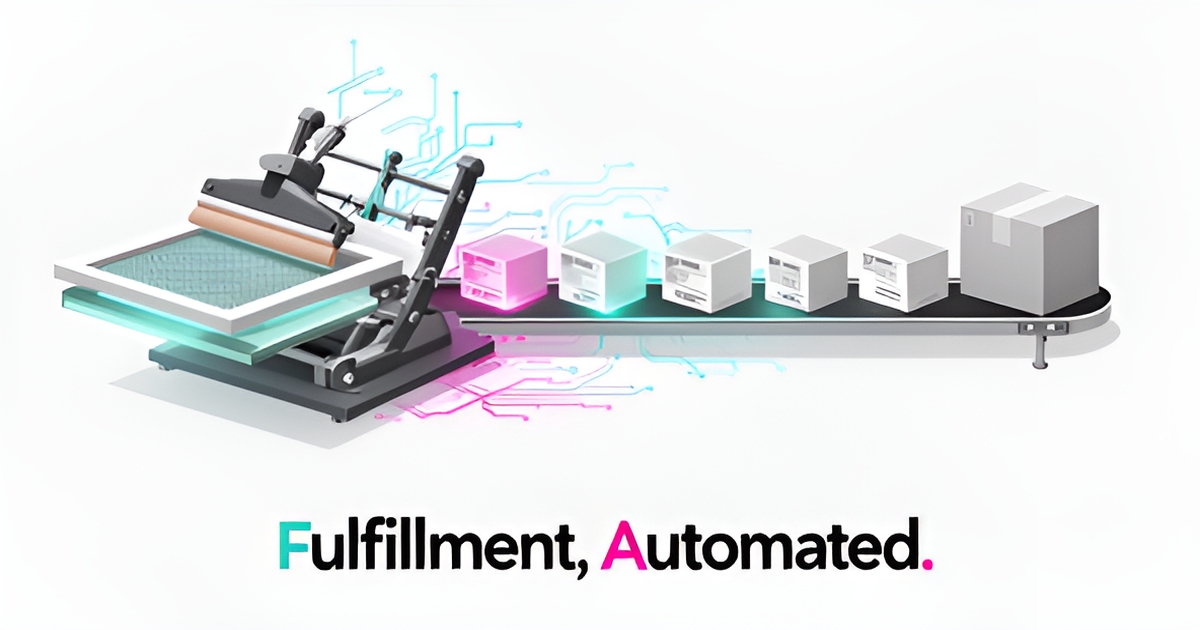
7 Ways AI Can Streamline Order Fulfillment in Screen Printing Operations
Key Facts
- AI automation typically reduces fulfillment costs significantly by automating intake, validation, and tracking.
- Automated validation catches design and spec errors before they reach production.
- Picking accuracy remains a major warehouse challenge for a large share of companies as of late 2026.
- Legacy technology is a common barrier to fulfillment modernization across industries.
- Predictive inventory forecasting prevents stockouts and overselling on custom apparel jobs.
Hire a team member that works 24/7 — for less than a part-time wage.
AI receptionists, SDRs, dispatchers and 99+ roles. Trained on your business, fully managed.
Not sure where to start? Ask our AI planner
The Hidden Cost of Manual Order Processing in Screen Printing
Manual order processing in screen printing quietly erodes margin on every job. What looks like a simple intake step becomes a chain of delays, rework, and missed shipments.
Industry automation guidance consistently shows that AI-driven fulfillment can cut costs substantially while lifting order accuracy well above what manual processing achieves. That gap is the cost of doing things by hand.
Design validation errors start at intake. Teams copy specs from emails and spreadsheets into production queues, creating mismatches on color, garment size, and print location. Manual data entry is prone to human error, and without automated validation orders enter production with mistakes already baked in.
Inventory mismatches compound the problem. Traditional tracking offers medium accuracy and slow reaction speed, while AI-powered systems deliver high accuracy and fast reaction speed. Screen printers often discover stockouts after a job is promised, forcing rush orders, substitutions, or late deliveries that damage repeat business.
Shipping delays follow. Static carrier selection and manual route planning add hours to days. Customers ask “Where is my order?” because tracking updates are entered late or inconsistently. Workforce productivity and picking accuracy remain two of the most commonly cited fulfillment challenges in warehouse automation studies as of late 2026.
The hidden costs show up across the operation:
- Rework and remakes from design validation errors and color mismatches
- Lost sales from stockouts and overselling due to stale inventory data
- Labor hours spent chasing orders, correcting spreadsheets, and handling support tickets
- Expedited shipping fees to recover from late production starts
These bottlenecks are especially painful for custom work where each order is unique. AI workflow builds address this by automating order intake, design validation, production scheduling, and delivery tracking, reducing manual errors and speeding turnaround times.
AIQ Labs helps screen printing businesses rebuild the one workflow that costs the most through [AI Workflow Builds](/workflow-builds), integrating with existing order management systems and turning reactive manual steps into proactive, automated controls. The result is fewer errors, faster fulfillment, and a team focused on growth rather than firefighting.
Manual processes scale problems, not production.
AI-Powered Order Validation and Intake Automation
AI-powered order validation and intake automation transforms how screen printing businesses handle incoming custom orders by eliminating manual data entry and reducing human error at the source. By automatically extracting design specifications, quantities, and delivery details from emails, spreadsheets, or web forms, AI systems validate each order against production capabilities before it reaches the shop floor. This real-time validation prevents misprints caused by mismatched ink types, incorrect sizing, or unavailable materials—issues that traditionally arise from overlooked details in manual processing. Automated validation typically pushes fulfillment accuracy far above what manual entry achieves, drastically reducing costly rework and customer dissatisfaction.
These intelligent systems go beyond simple data capture by applying business rules to flag inconsistencies, such as requesting a Pantone color not supported by the printer’s inventory or scheduling a rush order during a known production bottleneck. AI can also route validated orders to the most appropriate production line or facility based on current workload, equipment availability, and geographic proximity to the customer—optimizing throughput without manual intervention. For screen printers managing high volumes of custom artwork, this automation ensures that every order enters production with verified specifications, turning a historically error-prone intake process into a reliable, auditable workflow. AIQ Labs builds such validation layers as part of custom AI workflows that integrate directly with existing order management tools, ensuring seamless data flow from intake to fulfillment.
- Extracts and validates order data from unstructured sources like emails and spreadsheets
- Flags design inconsistencies (e.g., unsupported colors, incorrect file formats) before production
- Routes orders intelligently based on capacity, location, and turnaround requirements
- Catches spec errors through automated validation checks before work starts
- Eliminates misprints by verifying material and design compatibility in real time
By removing the need for staff to manually interpret handwritten notes, parse fragmented customer messages, or cross-reference design files across multiple systems, AI frees up valuable time for creative and strategic tasks. Employees can focus on design refinement, client consultation, or process improvement instead of chasing down missing order details or correcting preventable mistakes. This shift not only improves operational efficiency but also enhances job satisfaction by reducing repetitive, error-prone work. As screen printing businesses face growing demand for personalized apparel with tight deadlines, AI-powered order validation ensures that accuracy and speed are no longer trade-offs—they become standard outcomes of a smarter intake process.
Predictive Inventory and Smart Fulfillment Workflows
Screen printing fulfillment lives or dies on timing, ink, blanks, and accurate picks. AI moves the operation from reactive firefighting to proactive control across inventory, warehouse motion, and shipping.
Predictive inventory starts with demand forecasting that reads historical sales, seasonality, marketing pushes, and external signals. AI models analyze these patterns to forecast future demand with high accuracy, preventing both overstock and stockouts. Modern inventory platforms provide reorder suggestions and restocking alerts that keep popular apparel and supplies available without tying up cash. This predictive capability is critical for seasonal spikes.
Smart fulfillment workflows then translate forecasts into physical execution. Autonomous Mobile Robots and AI-coordinated pick paths optimize how items move through the warehouse, while computer vision inspects products during packing to verify counts, labeling, and print quality. Industry analysis of automation tools notes AI-enhanced quality control ensures only correct products ship, a must when color accuracy matters. This convergence of robotics and vision reduces manual handling and error rates.
Shipping is streamlined through dynamic carrier selection and route optimization. AI-driven logistics platforms plan efficient routes using real-time traffic, delivery windows, vehicle capacity, and fuel costs. E-commerce fulfillment coverage highlights how machine learning routes orders to the nearest fulfillment point and selects carriers based on cost and speed. The result is faster delivery and fewer “where is my order” inquiries.
The impact is measurable. Fulfillment automation guidance reports AI can cut fulfillment costs substantially while boosting accuracy. That level of precision addresses a known pain point, since warehouse automation studies find a large share of companies—typically around half—identify improving picking accuracy as a major challenge.
AIQ Labs helps screen printing businesses build custom AI workflows that integrate with existing order management systems, automating intake, validation, scheduling, and delivery tracking. The approach fits within [AI Workflow Builds](/workflow-builds), where predictive inventory and smart fulfillment workflows reduce manual errors and speed turnaround.
Typical workflow gains include:
- Demand forecasting for ink, apparel, and supplies with automated reorder alerts
- Computer vision quality checks and robotic picking to increase throughput
- Dynamic carrier selection and route optimization for cost and speed
- Real-time inventory visibility across channels to prevent overselling
With integrated systems, screen printers scale fulfillment without proportional headcount growth while maintaining the accuracy customers expect.
Integrating AI with Your Existing Screen Printing Systems
Screen printing shops rarely start from scratch, and AI works best when it layers onto the systems you already use. A practical integration roadmap reduces risk and protects the workflows that keep orders moving.
Start with a workflow audit. Map order intake, design validation, production scheduling, and delivery tracking to find the bottlenecks that create manual errors. Industry research shows AI automation can cut fulfillment costs meaningfully, but those gains depend on clear process visibility before any tool is selected.
Data readiness comes next. Aggregate and clean historical data including inventory levels, order histories, customer information, and product specs so models learn accurately. Implementation guidance emphasizes that data quality is the foundation; AI is only as good as the data it is trained on.
Tool selection should prioritize integration, not novelty. Choose AI capabilities that connect with your existing order management system, ERP, and WMS to ensure seamless data flow and automated routing. For screen printing, this means design validation rules, material matching, and production queue logic can be enforced automatically without replacing your core platform.
A low-risk adoption approach is to build in phases. The following sequence mirrors how businesses move from pilot to scale:
- Audit current workflows and identify one high-impact automation target
- Prepare and clean data, then validate system readiness for AI integration
- Select AI tools that integrate natively with order management and production systems
- Train teams on AI functionality, data analysis, and troubleshooting
- Monitor KPIs like order processing time and inventory accuracy, then optimize
Training is often underestimated. Provide comprehensive training on AI system functionality and data analysis to ensure smooth adoption across operations and customer service teams. Best-practice steps for implementation list employee training as a core step alongside integration and monitoring.
Integration also means governance. Legacy technology remains a common barrier to fulfillment modernization across industries, which highlights why modernization is a prerequisite for success. Connecting AI to CRM, accounting, and operations tools creates a single source of truth and reduces manual data entry.
AIQ Labs helps businesses build custom AI workflows that integrate with existing order management systems, using flexible payment models for low-risk adoption. With Build in Milestones, work is split into phases you approve and pay per phase. With Start Monthly, you get a managed [AI Employee](/ai-employees) with setup plus a flat monthly plan you can pause or adjust anytime. And with Own It Outright, the system you build is yours—no perpetual fees. For shops that want one connected layer across intake, production, and shipping, [AI Operating Systems](/ai-operating-systems) deliver that in phases.
When integration is done deliberately, AI shifts screen printing fulfillment from reactive to proactive, with fewer errors and faster turnaround without disrupting the systems teams trust daily.
Still paying for 10+ subscriptions that don’t talk to each other?
We build custom AI systems you own outright. No vendor lock-in. Full control.
Not sure where to start? Ask our AI planner
Frequently Asked Questions
How much can AI actually cut costs in screen printing fulfillment?
Will AI fix design validation errors that cause misprints?
What’s the biggest inventory problem AI solves for custom apparel?
Do I have to replace my existing order management system to use AI?
How does AI improve shipping and reduce ‘where is my order’ calls?
Is AI fulfillment only for big companies with huge budgets?
From Firefighting to Flow: Build a Fulfillment System That Scales With You
Manual order processing scales problems, not production. The screen printers seeing the biggest gains are replacing error-prone intake and spreadsheets with automated validation, predictive inventory, and smart routing that keep custom jobs accurate and on time. When design specs are verified at intake, stock is forecasted before it runs out, and carriers are chosen dynamically, rework drops, expedited fees disappear, and teams stop chasing orders. Those improvements translate directly to margin protection, faster turnaround, and a better customer experience. AIQ Labs helps screen printing businesses build custom AI workflows that integrate with existing order management systems to turn reactive manual steps into proactive controls. If you’re ready to map where errors and delays are costing you most, start the 2-minute Fit Check at [aiqlabs.ai/apply](/apply) for a free 30-minute strategy call to identify high-ROI automation opportunities. If there isn’t a clear win, we’ll tell you that too.
Make AI your competitive advantage — not just another tool.
Strategy, implementation and ongoing optimization. One partner, end to end.
Not sure where to start? Ask our AI planner