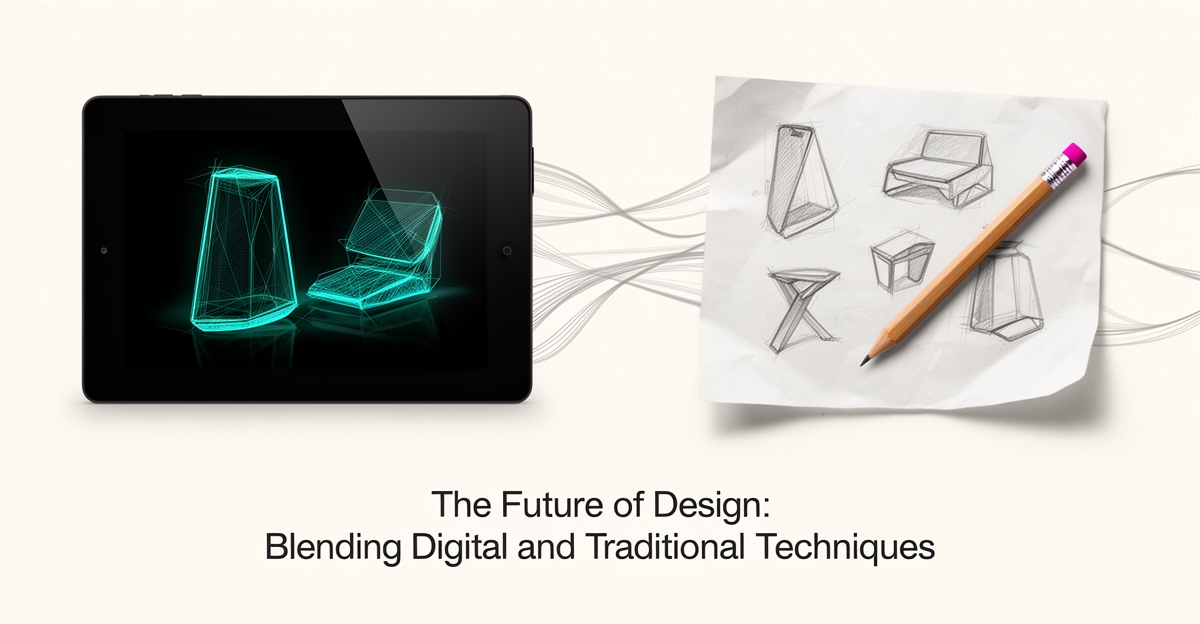
AI vs. Hand-Drawn Sketches: Which Approach Is Better for Client Design Ideas?
Key Facts
- As of late 2026, AI sketches can be "genuinely indistinguishable from hand-drawn artwork for most viewers" according to ZSky AI analysis
- A University of Kentucky study found "no significant difference in understandability between hand sketches and AI-generated renders" in product design research
- Hand sketch line quality, proportionality and understandability positively correlated with AI output quality per University of Kentucky
- Many leading sketching AI tools use freemium pricing per TopAI tools data
- Some platforms, including ZSky AI, offer free-tier generation with no signup per 2026 sketch generator roundup
Hire a team member that works 24/7 — for less than a part-time wage.
AI receptionists, SDRs, dispatchers and 99+ roles. Trained on your business, fully managed.
Not sure where to start? Ask our AI planner
The Client Presentation Dilemma: Speed vs. Connection
Every designer knows the moment: a client meeting looms, and you must decide whether to present rapid-fire AI concepts or invest hours in hand-drawn sketches that carry your personal signature. This choice has become increasingly complex as AI sketch generation has reached professional quality levels, producing work that, as of late 2026, is "genuinely indistinguishable from hand-drawn artwork for most viewers."
The tension centers on a fundamental trade-off between velocity and vulnerability. AI tools generate complex, detailed images in seconds, enabling rapid iteration and immediate feedback loops that keep pace with client expectations. Yet this efficiency often comes at the cost of the emotional resonance that builds lasting client relationships.
According to research from the University of Kentucky, there is "no significant difference in understandability between the hand sketches and the AI-generated renders." However, the study found that hand sketch characteristics—line quality, proportionality, and understandability—directly correlated with the quality of AI outputs, suggesting that foundational drawing skills remain essential even when using AI assistance.
The emotional dimension proves harder to quantify but equally critical. As noted in comparative analysis of the two approaches, hand-drawn sketches offer "a more personal and creative touch" because artists "form a deep emotional bond with their work, as each stroke and line is a reflection of their thoughts and feelings." This human element often translates to client trust, particularly in early conceptual phases where buy-in matters more than polish.
Designers navigating this dilemma typically weigh several factors:
- Speed requirements: AI generates variations in seconds versus hours for hand-drawing
- Modification flexibility: Hand sketches allow real-time adjustments during meetings, while AI outputs may require regeneration
- Client perception: Some clients value the visible craftsmanship of hand-drawn work, while others prioritize rapid visualization
- Technical accuracy: AI excels at precise lines and realistic material representation
The most effective approach often involves strategic hybridization. Successful design firms use AI tools to accelerate initial ideation and explore multiple directions quickly, then refine promising concepts with hand-drawn details that restore the human connection. This workflow acknowledges that while AI can produce technically proficient sketches, the emotional depth and creative spontaneity of hand-drawing remain irreplaceable for building client confidence.
Ultimately, the choice depends on reading the room. Technical presentations demanding rapid iteration favor AI generation, while relationship-driven pitches benefit from the vulnerability and authenticity of hand-drawn work. The most successful designers master both languages, knowing when to leverage algorithmic speed and when to offer the irreplaceable human mark.
What the Research Reveals: Understandability Is a Draw
When clients review a design concept, the clarity of the idea matters more than the medium used to convey it. A University of Kentucky study found no significant difference in understandability between hand sketches and AI-generated renders, leveling the playing field for teams weighing speed against tradition. The research, conducted in an undergraduate product design course using Vizcom, measured how well participants grasped concepts presented in both formats.
- Hand-sketch line quality, proportionality, and understandability all positively correlated with the same traits in AI outputs
- Vizcom did not reduce the need for strong hand-sketching fundamentals
- AI tools offered advantages in conveying realistic materials and contexts quickly
The correlation is the critical insight. Designers who produce clear, proportional hand sketches generate better AI renders because the AI amplifies the input quality. This mirrors what AIQ Labs sees across creative workflows: foundational skills determine AI output quality, whether the task is sketching, writing, or coding. Teams that treat AI as a replacement for craft hit a ceiling; teams that treat it as an accelerator for craft pull ahead.
Speed remains AI's undisputed advantage. Algorithms produce detailed concepts in seconds versus the hours a polished hand drawing demands, enabling rapid iteration during early client conversations. But the study confirms that efficiency doesn't replace expertise. The most effective workflow pairs rapid AI exploration with the discernment that only comes from sketching fluency — knowing which lines matter, which proportions communicate, and which details drive understanding.
Where AI Excels: Rapid Ideation and Material Realism
Speed changes how clients experience design ideas. When a concept can materialize in seconds, the conversation shifts from waiting for art to exploring possibilities together.
AI sketch tools generate complex, detailed images in a matter of seconds, making them a quick and efficient way to create artwork compared with the time-consuming nature of hand-drawing. That speed advantage creates faster feedback loops and more iterations per meeting. For teams focused on marketing copy and ad creation, rapid visual exploration supports creative brainstorming without slowing the narrative development.
As of late 2026, AI sketch generation has reached professional quality levels where generated sketches can be "genuinely indistinguishable from hand-drawn artwork for most viewers" when prompted with specific medium, paper texture, and technique details. A 2026 roundup of sketch generators notes ZSky AI produces strong pencil sketches across styles from fine graphite to rough charcoal, with free-tier generation and no signup.
Material realism is where platforms differentiate. ZSky AI produces convincing charcoal drawings with authentic smudged edges, deep blacks, and the characteristic granular texture of charcoal on textured paper. The same analysis highlights its strength with architectural sketches that balance technical accuracy with artistic expression.
DALL-E 3 complements this with a different edge. It produces clean line art and ink illustrations due to its strong understanding of clear graphic elements. The platform comparison positions it as ideal for technical diagrams and precise linework.
University research adds nuance to the speed benefit. A study using Vizcom found AI tools may offer some benefits in quickly conveying realistic materials and contexts. The University of Kentucky publication also reports no significant difference in understandability between hand sketches and AI-generated renders, suggesting clients can grasp concepts equally well from either source.
Practical advantages for client work include:
- Rapid ideation: Generate multiple design variations in seconds to explore directions before committing.
- Material and context realism: Convey textures, lighting, and environments that are hard to sketch by hand quickly.
- Iterative feedback: Re-prompt and refine concepts in real time during live sessions.
This is where rapid ideation and material realism become a workflow asset. AIQ Labs helps SMBs build creative workflows that generate realistic design concepts and narrative descriptions to support brainstorming—typically through a fixed-price Workflow Build that rebuilds the one creative process costing your team the most time.
The result is less time spent rendering and more time spent deciding. Teams can test tone, composition, and context across several options, then move the strongest concepts forward with confidence.
Where Hand-Drawn Wins: Emotional Depth and Real-Time Flexibility
The pencil hovers over paper, and something happens that no algorithm can replicate: a human instinct guides the line before the mind fully forms the thought. That split-second intuition—where emotion meets expertise—remains the quiet superpower of hand-drawn sketches in client conversations. While AI tools now produce renders that many viewers can't distinguish from hand-drawn artwork, the University of Kentucky study found they do not reduce the need for strong hand-sketching skills in communicating design concepts.
Hand drawing creates a living dialogue between designer and client. When a stakeholder leans in and says, "What if we moved this wall?" the designer adjusts the line in real time, preserving the energy of the moment. Research confirms that the characteristics of hand sketches—line quality, proportionality, and understandability—positively correlate with the quality of AI-generated outputs, suggesting the human foundation drives the digital result. This tactile responsiveness builds trust that polished, pre-rendered images often cannot.
- Immediate, intuitive adjustments during live feedback sessions
- Emotional resonance conveyed through visible human gesture
- Creative originality unbound by training data patterns
- Perceived value tied to craft investment and personal touch
AIQ Labs sees this dynamic daily in creative system builds: the most effective outputs start with a clear human brief—the same principle that makes hand sketching irreplaceable for early-stage ideation. The technology accelerates execution, but the creative spark and client connection remain distinctly human. Drawing by hand allows artists to "fully control every aspect of the drawing and infuse it with their own style and emotion," forming a deep bond that clients sense and value.
The Hybrid Workflow: Using Each Tool at the Right Stage
The most effective design workflows don't choose between AI and hand-drawn methods—they strategically combine both. Early ideation benefits from AI's speed, allowing teams to generate multiple concept variations in seconds for rapid exploration and feedback. Hand-drawn refinement then elevates these concepts for client presentations, where emotional connection and perceived craftsmanship matter most. Research confirms that AI tools like Vizcom do not reduce the need for strong hand-sketching skills in communicating design concepts, meaning foundational drawing ability remains essential even when using AI aids.
This hybrid approach leverages AI's strength in quickly conveying realistic materials and contexts while preserving the human touch that builds client trust. For example, designers can use AI to rapidly iterate on architectural massing or product forms, then selectively redraw key elements by hand to emphasize proportion, line quality, and expressive detail—factors proven to correlate with the understandability of both hand and AI-generated renders. The University of Kentucky study found that hand sketch characteristics like line quality and proportionality were positively correlated with the understandability of AI outputs, underscoring that skilled hand drawing enhances rather than competes with AI workflows.
To maximize AI's role in early stages, professional prompt engineering is critical. Specify the drawing medium explicitly (e.g., "pencil sketch," "charcoal drawing"), define paper texture ("on rough textured paper"), and include technique details like "cross-hatching" or "tonal gradation" to guide authentic rendering. For architectural concepts, add "architectural perspective sketch" with building type descriptors; for expressive ink work, prioritize tools that simulate natural brush variation and ink bleed. These practices ensure AI outputs serve as strong starting points for hand refinement rather than final deliverables, aligning with findings that the best results come from pairing AI efficiency with human artistic judgment. Research shows that this combination maintains communication effectiveness while accelerating early-stage exploration. AIQ Labs supports this balanced methodology through services built to augment—not replace—creative expertise, whether that's a single rebuilt workflow or a fuller connected operating layer.
Still paying for 10+ subscriptions that don’t talk to each other?
We build custom AI systems you own outright. No vendor lock-in. Full control.
Not sure where to start? Ask our AI planner
Frequently Asked Questions
Are AI-generated sketches actually as good as hand-drawn ones for client presentations?
Will using AI sketch tools make my hand-drawing skills obsolete?
Which AI sketch tool is best for architectural concepts and charcoal-style drawings?
Can I legally use AI-generated sketches in commercial client work?
When should I use AI sketches versus hand-drawn ones with clients?
How do I get professional-looking AI sketches instead of generic AI art?
Designing with Both Hands: Where Speed Meets Soul
The choice between AI-generated and hand-drawn sketches isn't about picking a winner—it's about knowing when to leverage each strength. AI excels at rapid ideation and material realism, generating detailed concepts in seconds, while hand-drawing brings irreplaceable emotional depth, real-time flexibility, and the human touch that builds client trust. Research confirms that foundational sketching skills enhance AI output quality, proving that technology amplifies craft rather than replaces it. For design teams navigating client presentations, the winning strategy is hybrid: use AI to explore options quickly, then refine with hand-drawn details that convey care and creativity. This balanced approach accelerates workflows without sacrificing the connection that turns concepts into commitments. To build a creative workflow that blends AI efficiency with human insight—tailored to your team's process and client needs—start with AIQ Labs' 2-minute Fit Check, then book a free 30-minute strategy call to map your biggest opportunity. AIQ Labs helps SMBs build intelligent, owned systems that scale with purpose.
Make AI your competitive advantage — not just another tool.
Strategy, implementation and ongoing optimization. One partner, end to end.
Not sure where to start? Ask our AI planner