From Design to Delivery: How AI Can Automate the Entire Screen Printing Workflow
Key Facts
- AI quote assistants trained on historical job data can cut quote generation from minutes to seconds, according to practical implementation research.
- Even a 5% lift in reorder retention can translate to thousands in annual revenue for mid-size shops, PRINTING United Alliance research finds.
- Always-on AI chatbots capture quote requests 24/7 and can meaningfully increase inbound inquiries, industry data shows.
- AI design tools make artists dramatically faster by generating mockups and resizing artwork in seconds, according to industry leaders.
- Predictive dashboards can alert managers when press output drops below typical capacity thresholds, workflow automation research indicates.
- Smart color management systems learn from past jobs to help auto-calibrate ink for different substrates, industry analysis confirms.
- Computer vision can catch misregistration and ink defects in real time before they ruin runs, printing technology research shows.
Hire a team member that works 24/7 — for less than a part-time wage.
AI receptionists, SDRs, dispatchers and 99+ roles. Trained on your business, fully managed.
Not sure where to start? Ask our AI planner
The Hidden Cost of Manual Print Workflows
The screen printing workflow is riddled with operational friction points that silently erode profitability and scalability. From the moment a quote request arrives to the final delivery, manual handoffs create delays, errors, and missed opportunities that compound across every job. These aren't just inconveniences—they're systemic bottlenecks that keep print shops trapped in reactive mode, unable to scale or compete effectively in a market where speed and precision are non-negotiable.
Consider the quote generation process alone: producing a single quote using traditional methods typically takes 15 minutes or more, a cycle that becomes unsustainable when shops face 25 quote requests daily. This manual estimating not only consumes valuable staff time but also introduces inconsistency in pricing and slows response times to the point where potential clients move on to faster competitors. Meanwhile, disconnected pre-press file handling means designers and operators waste hours chasing down correct files, resolving formatting issues, and manually preparing artwork for screens—steps that could be automated with intelligent file validation and color correction systems.
Machine maintenance remains largely reactive, with shops waiting for presses to fail before scheduling service, leading to costly unplanned downtime that disrupts entire production schedules. Without predictive insights, maintenance becomes a guessing game that sacrifices both machine longevity and on-time delivery rates. Perhaps most critically, the absence of AI-driven reorder prediction leaves shops blind to recurring revenue opportunities; they rely on sales teams to remember client cycles or hope customers initiate repeat orders, missing predictable patterns that could be turned into automated, timely outreach.
These manual workflows don't just waste time—they create a competitive liability. Shops stuck in this cycle operate with inflated labor costs, lower throughput, and higher error rates than their automated counterparts. They struggle to scale because every new job requires the same manual effort, creating a hard ceiling on growth. In an industry where clients expect instant quotes, flawless files, and on-time delivery, relying on spreadsheets, email chains, and tribal knowledge isn't just inefficient—it's a strategic vulnerability that prevents print shops from capturing the efficiency, consistency, and customer retention gains that AI enables. The hidden cost isn't measured in dollars alone; it's measured in lost capacity, missed opportunities, and the gradual erosion of market position.
AI-Powered Pre-Production: From Quote to Approved Art in Seconds
The front end of screen printing has always been a bottleneck — quotes stall, designs ping-pong between revisions, and file errors surface only when screens are already burning. AI flips that dynamic entirely.
A practical implementation using historical job data and a large language model can shrink quoting from 15 minutes to 15 seconds. The system analyzes past estimates — product type, run length, substrate, finishing — and returns a priced range the moment a request lands. For a shop fielding 25 quote requests daily, that speed compounds into hours reclaimed every week.
Design moves just as fast. Industry leaders report that AI doesn't replace the artist; it makes them dramatically faster. Generative tools spin up mockups, resize artwork for every placement, and iterate on brand colors in seconds rather than hours. The creative loop tightens from days to a single conversation.
- Smart Quote Assistants trained on 12 months of historical estimates
- Generative design variations and instant mockups for client approval
- Automated pre-flight that catches resolution, color space, and trapping errors
- AI-driven color adjustment tuned to your specific ink and substrate profiles
Pre-flight is where waste gets eliminated before it starts. AI-powered software scans every uploaded file, flags missing fonts or low-resolution assets, and corrects color spaces to match press conditions — all before a human opens the job. The result: approved art hits the press ready to run, not ready to fix.
AIQ Labs builds these front-end automation layers as custom, owned systems — not SaaS rentals — so the intelligence compounds in your shop, not a vendor's roadmap. If you want to see how a single high-friction step gets rebuilt, that's exactly what our Workflow Builds are designed for.
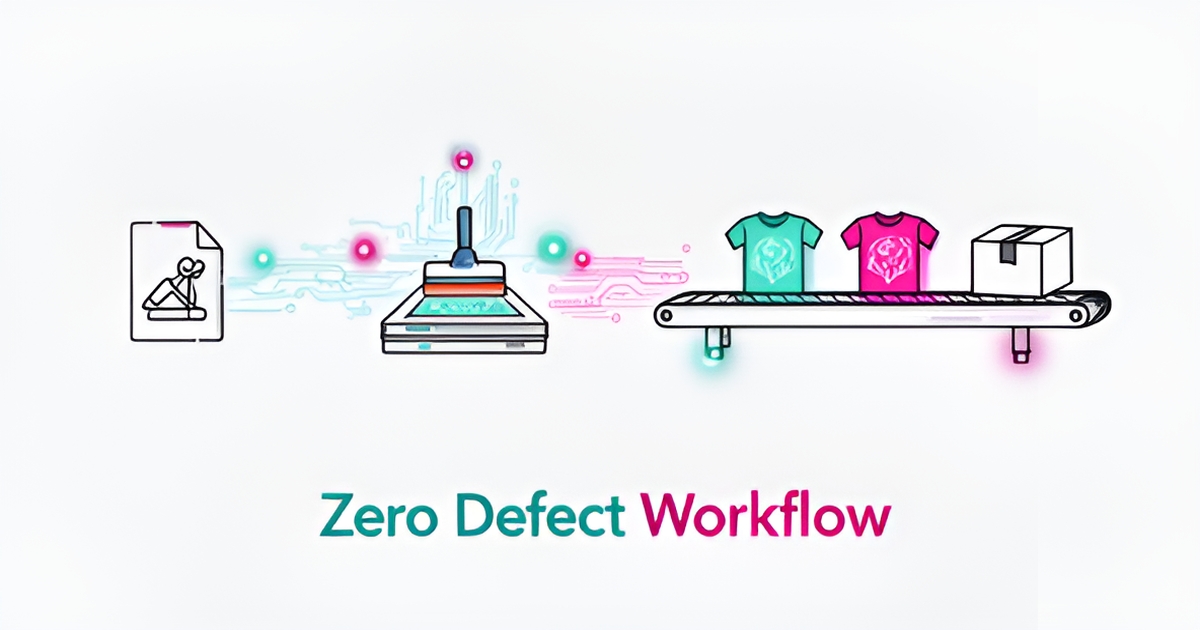
Intelligent Production: Predictive Maintenance, Color Consistency, and Zero-Defect Runs
The shop floor is where margins are won or lost, and AI is turning production from a reactive scramble into a proactive science. Predictive dashboards now ingest live equipment data to flag when press output drops below expected capacity thresholds, automatically alerting operations managers before a slowdown becomes a bottleneck. According to workflow automation research, this threshold-based alerting—built on exported MIS data and visualized in tools like Power BI—lets teams intervene in hours instead of days.
Color consistency, long the enemy of multi-substrate runs, is yielding to smart management systems that learn from every job. AI analyzes historical print results to fine-tune ink formulations and detect subtle inconsistencies invisible to the human eye, ensuring a brand's red stays true whether it hits cotton, polyester, or a tri-blend. Industry analysis confirms these systems reduce rework by adjusting color profiles in real time based on substrate behavior and environmental conditions.
Computer vision completes the quality loop. Cameras mounted at the press capture every impression, using machine learning to spot misregistration, ink starvation, or fiber pickup the instant they appear. Operators receive instant alerts on a tablet rather than discovering defects during post-run inspection.
- Predictive alerts trigger when press efficiency falls below expected capacity
- Color engines learn from past runs to auto-calibrate for new substrates
- Vision systems catch defects in real time, slashing waste and reprints
- Integrated dashboards give managers a single view of floor health
AIQ Labs builds these production-grade systems as part of custom AI workflow automation, connecting press sensors, MIS data, and vision feeds into a unified control layer that shops own outright. The result is a floor that runs closer to theoretical capacity with a fraction of the oversight.
Closing the Loop: Automated Retention, Reorder Prediction, and 24/7 Lead Capture
The job isn't done when the boxes ship. For most print shops, the next order from that same client is where the real margin lives—and AI turns that repeat business from a hope into a system.
According to PRINTING United Alliance's research, AI can analyze past order patterns to predict when a client is due for a reorder. Instead of waiting for the phone to ring, the system triggers a timely, personalized outreach before the customer even realizes they're running low.
The financial impact compounds quickly. That same research notes that even a 5% lift in reorder retention can translate to thousands in annual revenue for a mid-size shop. Multiply that across your entire client base, and predictive reordering becomes one of the highest-ROI applications in the entire workflow.
Then there's the front door. Most shops lose quote requests that come in after hours, on weekends, or when staff are buried in production. An AI receptionist or chatbot solves this by capturing quote details, answering file setup questions, and collecting contact information around the clock. Industry data shows this kind of always-on lead capture can meaningfully increase inbound leads—without adding a single person to the payroll. AIQ Labs deploys managed AI staff across 99+ roles, including the receptionist and follow-up work most shops can't staff.
A well-built retention and lead capture system handles several critical functions simultaneously:
- Predicts reorder timing based on each client's historical purchase cycles
- Sends automated, personalized outreach before the client starts shopping competitors
- Captures quote requests and project details 24/7 through an intelligent chatbot
- Nurtures leads with vertical-specific content (e.g., real estate, restaurants, events) without manual effort
That last point matters more than most shops realize. Consistent marketing is usually the first thing to slip when production gets busy. AI can generate and schedule email campaigns, social posts, and follow-up sequences tailored to specific client verticals, closing what PRINTING United Alliance calls the "marketing consistency gap" without requiring additional staff.
This is where the workflow truly closes the loop. The same AI infrastructure that automated your quoting, prepress, and scheduling now works post-delivery—predicting when revenue is about to walk back through the door and making sure you're there to catch it. From lead to press to profit, every stage feeds the next.
At AIQ Labs, we build these kinds of end-to-end systems for print shops—connecting reorder prediction, lead capture, and automated nurturing into a single workflow the shop owns outright. If you're curious where the biggest automation win sits in your operation, start with a two-minute Fit Check and we'll map it together in a free strategy call.
Building Your AI Print Operating System: A Phased Implementation Roadmap
Most print shops don’t need a full overhaul on day one. They need one bottleneck removed, measured, and then scaled.
A phased rollout reduces risk and proves ROI before you commit to a complete operating system. The approach maps directly to how AIQ Labs structures builds: start with a single workflow fix, expand to department automation, then move to a complete business AI system.
Start simple by picking one high-friction step in design to delivery. For many screen printers that is quoting. A commercial shop can see 25 quote requests daily that an AI model could handle according to practical implementation guidance. A Smart Quote Assistant can collapse that from 15 minutes to 15 seconds per quote in real-world tests, freeing estimators for complex jobs while keeping response time instant.
Phase one is a Workflow Fix. This is a targeted rebuild of a single broken process with a robust custom solution. Examples for print include:
- Automated quote generation from historical job data, product type, run length and substrate
- AI design assistant for file prep, color correction and imposition error detection
- 24/7 chatbot for lead capture and file setup questions, which can meaningfully increase inbound leads
- Reorder prediction alerts that can deliver a 5% lift in reorder retention
Once the first workflow proves time and cost savings, move to Department Automation. Here an entire function such as pre-production, production or customer service is overhauled with an integrated AI system. AI can monitor press output, trigger predictive maintenance alerts to reduce downtime, and run computer vision quality control to catch misalignment and color variation in real time.
The final tier is a Complete Business AI System. This is an enterprise-level, multi-department AI ecosystem with a custom UI that serves as the company’s central intelligence hub. It connects design approval, material selection, job scheduling and delivery notifications into one owned system that businesses control. That's the model behind our AI Operating Systems—one connected operating layer, built in phases, owned outright.
Payment models align with the maturity curve. Start Monthly works well for a single AI employee or workflow pilot with build, training and integrations included and the ability to pause anytime. Build in Milestones lets you pay per phase for a workflow or department system and keep everything built so far. Own It Outright delivers a full AI operating system with full ownership of code, agents and data when complete. You can compare all three on our pricing page.
This start-simple, measure, then scale path lets print shops automate one bottleneck like quoting, then expand to a fully integrated, owned AI operating system without vendor lock-in.
Still paying for 10+ subscriptions that don’t talk to each other?
We build custom AI systems you own outright. No vendor lock-in. Full control.
Not sure where to start? Ask our AI planner
Frequently Asked Questions
How much time can AI actually save on quoting?
Will AI replace my designers and prepress team?
Can AI keep colors consistent across cotton, polyester and blends?
What kind of revenue impact does reorder prediction have?
Is predictive maintenance just hype or does it save money?
How can we capture quote requests after hours without adding staff?
From Lead to Press to Profit: Your AI-Ready Print Shop Starts Now
Manual handoffs are the hidden tax on screen printing — slow quotes, file errors, reactive maintenance and missed reorders add up to lost capacity and margin. AI changes that by compressing pre-production from 15 minutes to 15 seconds, automating pre-flight and color correction, and giving the shop floor predictive alerts, real-time color learning and vision-based quality control. Post-delivery, the same system predicts reorder cycles and captures leads 24/7, turning repeat business from hope into a process. The shift isn’t an overhaul, it’s a phased build: fix one bottleneck, measure the time and cost savings, then expand to department automation and a complete owned operating system. That’s how print shops reclaim speed, consistency and retention without vendor lock-in. If you’re ready to map where the biggest automation win lives in your operation, start with a two-minute Fit Check at https://aiqlabs.ai/apply for a free 30-minute strategy call. We’ll identify high-ROI opportunities together — and if there isn’t a clear win, we’ll tell you that too.
Make AI your competitive advantage — not just another tool.
Strategy, implementation and ongoing optimization. One partner, end to end.
Not sure where to start? Ask our AI planner