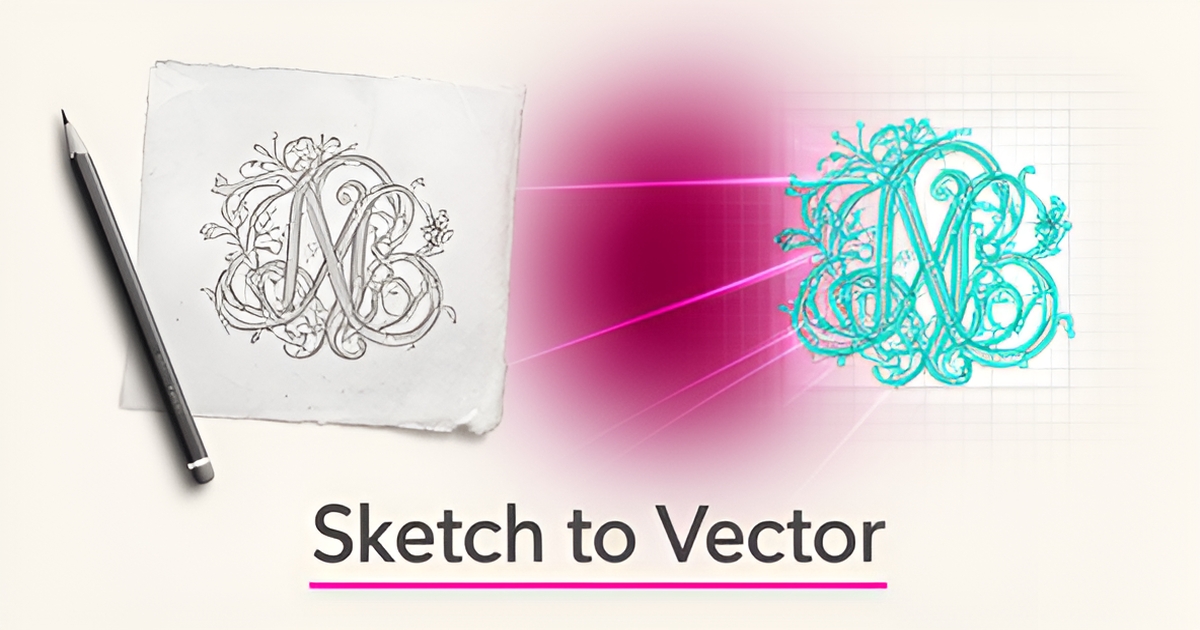
From Hand-Drawn Sketches to AI-Powered Design: How Engraving Shops Can Modernize Their Design Process
Key Facts
- Manual tracing is still the standard for high-detail engraving work, but it creates a single point of failure when only one team member has the skill
- AI-generated vectors often contain artifacts like overlapping paths and unnecessary anchor points that typically require cleanup before laser processing
- As of late 2026, AI vectorization typically handles logo sketches and hand lettering well, while rough pencil sketches usually need some refinement
- AI-powered sketch-to-vector tools eliminate manual pen-tool tracing and anchor-point work, letting designers focus on creative decisions
- SVG format scales infinitely, so the same file can serve business cards, signage, laser cutting, and web use
- Modern AI tools interpret stroke intent and context rather than just pixel edges, helping distinguish intentional lines from paper texture or smudges
- Effective AI prompting for laser engraving typically means specifying bold outlines and high-contrast black and white while excluding gradients and photorealistic textures
Hire a team member that works 24/7 — for less than a part-time wage.
AI receptionists, SDRs, dispatchers and 99+ roles. Trained on your business, fully managed.
Not sure where to start? Ask our AI planner
The Hidden Cost of Manual Design in Engraving Shops
The manual design process in engraving shops carries hidden costs that extend far beyond the obvious time spent sketching. Relying on hand-drawn concepts creates bottlenecks that ripple through every stage of production, from initial client consultation to final engraving. This dependency on specialized artistic talent not only limits scalability but also introduces variability that impacts both quality and turnaround times.
One of the most significant hidden costs is the lengthy revision cycle inherent in manual workflows. When clients request changes to a hand-drawn sketch, artists must redraw entire sections or start over, consuming valuable hours that could be spent on billable work. This iterative process often leads to inconsistent line quality and requires extensive cleanup during vectorization—a step that itself demands technical expertise. Manual tracing remains the standard for high-detail work, but it's slow, labor-intensive, and creates a single point of failure when only one team member possesses the necessary skill.
The financial burden becomes apparent when considering opportunity cost. Skilled designers command premium wages, yet their time is frequently consumed by repetitive tasks like redrawing revisions or cleaning up auto-traced vectors riddled with overlapping paths and unnecessary anchor points. Even when shops attempt to use basic AI tools, the output often still requires designer intervention to become production-ready. This dual dependency—on both artistic skill and technical cleanup—can effectively double the labor cost per design iteration.
Furthermore, the reliance on manual processes creates scalability challenges that directly impact revenue potential. Shops cannot take on rush orders or scale during peak seasons without overburdening their limited design talent. Even simple sketches typically require refinement with traditional methods, while shaded drawings or highly detailed illustrations often need significant rework. This unpredictability in turnaround time makes it difficult to provide accurate quotes or meet tight client deadlines, potentially damaging reputation and client trust.
These hidden costs accumulate silently—eroding profit margins through inefficient labor allocation, increasing error rates that lead to material waste, and preventing shops from pursuing higher-volume opportunities. The true expense isn't just in the hours spent drawing; it's in the growth that gets left on the table because the design process cannot keep pace with market demand. Engraving businesses that recognize these systemic inefficiencies position themselves to transform a chronic weakness into a strategic advantage through thoughtful modernization of their design workflow.
How AI-Powered Sketch-to-Vector Tools Are Transforming Design Workflows
Hand-drawn sketches carry the personal touch that clients love, but turning them into production-ready files has long been a bottleneck for engraving shops. Traditional tracing methods are time-consuming and often fail to preserve the organic feel of original artwork. AI-powered sketch-to-vector tools now help solve this by interpreting stroke intent, reducing artifacts, and generating clean SVG files directly from photos or scans—no manual tracing required.
These tools go beyond basic auto-trace by understanding the context of a drawing, distinguishing intentional lines from paper texture or smudges. As of late 2026, leading AI vectorization tools typically recognize intentional strokes, close gaps, and generate smooth paths that keep the organic feel of the original drawing—while filtering out the noise that plagues older auto-trace features in tools like Inkscape's Trace Bitmap or Illustrator's Image Trace. The result is output with smooth Bézier curves, minimal anchor points, and properly closed paths—well suited to laser engraving workflows.
What sets these AI tools apart is their ability to refine designs using natural language commands. Instead of wrestling with complex vector editors, users can type adjustments like "make the border thicker" or "fill the star shape with red" and see near-instant updates. This eliminates manual pen-tool tracing and anchor-point work, letting designers focus on creative ideas rather than tedious cleanup. The output is a fully editable SVG with clean paths and optimized markup, ready for use in engraving software.
- Logo sketches and hand lettering typically convert with strong quality, while rough pencil sketches usually need some refinement
- AI vectorization produces infinitely scalable SVG files suitable for business cards, signage, laser cutting, and web use
- Export options typically support platforms like Cricut Design Space, Silhouette Studio, Glowforge, and xTool, enabling a smoother sketch-to-production workflow
For engraving shops, this means faster turnaround on client concepts, reduced reliance on specialized design skills, and the ability to maintain the authenticity of hand-drawn artwork while meeting technical production standards. AIQ Labs rebuilds the one workflow that costs you the most—like sketch-to-vector conversion—into a seamless part of your production process, where design prompts, product descriptions, and client recommendations are generated from simple inputs like name, material, and style. The result is a modernized design process that honors tradition while embracing efficiency.
Practical Implementation: Integrating AI Design Tools into Engraving Operations
Engraving shops can modernize their design workflow by adopting AI tools that transform sketches into laser-ready vectors with minimal effort. Start with prompt engineering best practices: specify "bold outlines" and "high contrast black and white" in your prompts to encourage clean line definition, and use negative prompts to exclude "gradients," "photorealistic textures," and "complex shading" that interfere with engraving quality. This approach directly addresses the core challenge of creating vector-ready artwork that requires little post-processing.
Integrate AI-generated designs with platforms like LightBurn and xTool by exporting raster outputs from image-generation tools, then converting them to SVG using AI-powered vectorization services. These tools preserve the organic feel of hand-drawn sketches while reducing paper texture noise and excessive anchor points—common issues with traditional auto-trace methods. For logo sketches and hand lettering, AI vectorization typically produces smooth Bézier curves and properly closed paths optimized for laser operation.
Maintain quality control through a streamlined post-processing workflow focused on simplifying complex paths, removing duplicate objects, and standardizing stroke weights. Since AI-generated vectors can contain artifacts like overlapping paths or inconsistent line weights, dedicate time to cleanup in vector editing software before sending files to the laser. This ensures smooth operation and helps prevent stuttering motion or uneven burns during engraving. By combining strategic prompt engineering with AI-assisted vectorization and targeted cleanup, engraving shops can significantly reduce design time while maintaining professional output quality. Start the Fit Check to explore how AI can streamline your specific engraving workflows.
Still paying for 10+ subscriptions that don’t talk to each other?
We build custom AI systems you own outright. No vendor lock-in. Full control.
Not sure where to start? Ask our AI planner
Frequently Asked Questions
How much time and money are we really losing by sticking with hand-drawn sketches and manual tracing?
Can AI tools actually handle the messy sketches our clients send — like pencil drawings on napkins or whiteboard photos?
Will AI-generated vectors work directly in our laser software like LightBurn or xTool without hours of cleanup?
We're not designers — can our team really use these tools without learning complex vector editing software?
Is this just another subscription tool we'll pay for but never fully adopt?
How do we know AI won't strip away the personal, hand-crafted quality our clients pay a premium for?
Where Tradition Meets Technology: The Future of Engraving Design
The journey from hand-drawn sketches to AI-powered design isn't about replacing the artist's touch—it's about amplifying it. By embracing AI vectorization tools, engraving shops can break free from the hidden costs of manual workflows: lengthy revision cycles, scalability limits, and the dependency on scarce artistic talent. These tools preserve the organic feel of original artwork while delivering clean, production-ready SVGs that integrate with platforms like LightBurn and xTool. The result is faster turnarounds, consistent quality, and the ability to take on more work without overburdening your team. For shops ready to modernize their design process while honoring the craftsmanship clients love, the next step is clear. Start the Fit Check, or book a free 30-minute strategy call to explore how AI can streamline your specific engraving workflows. Questions? Reach us at [email protected].
Make AI your competitive advantage — not just another tool.
Strategy, implementation and ongoing optimization. One partner, end to end.
Not sure where to start? Ask our AI planner