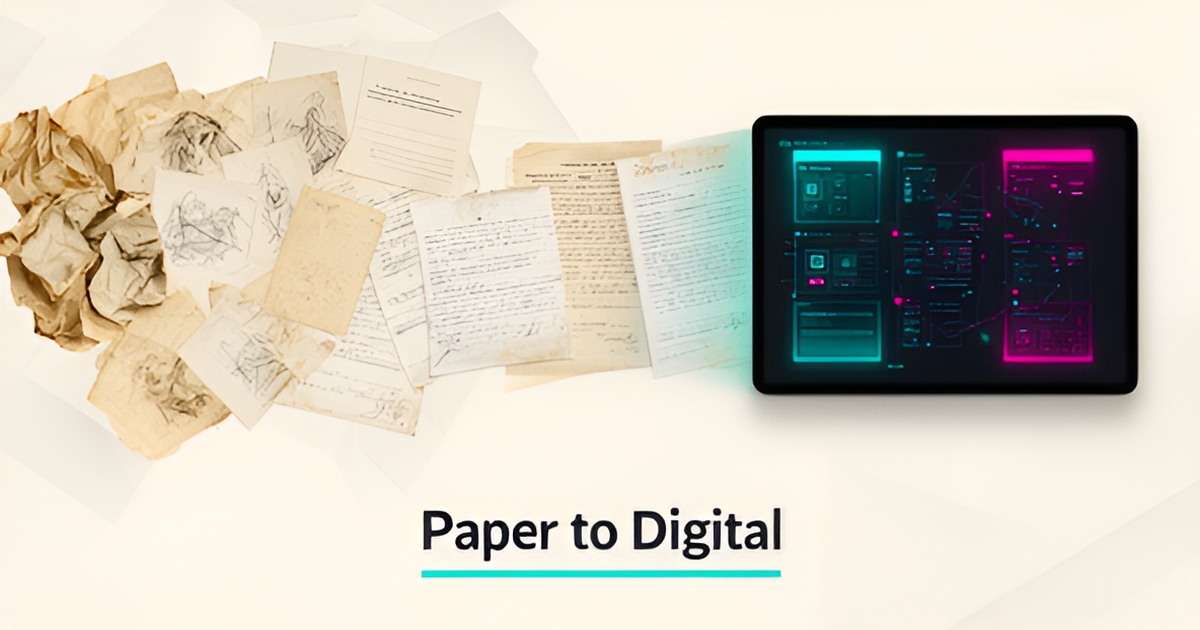
From Paper Sketches to AI: How Art Restoration Studios Can Digitize Their Workflows
Key Facts
- Paper-based restoration logs fragment treatment histories across filing cabinets, making complete records nearly impossible to retrieve quickly
- Multi-modal AI document processing can extract data from handwritten sketches, invoices and condition reports with high accuracy, turning paper archives into searchable assets
- Studios that digitize typically report dramatically faster document retrieval and far fewer manual entry errors
- Adoption of AI-assisted tools across creative fields has grown steadily through 2026, with artists and studios increasingly comfortable using AI in professional workflows
- AIQ Labs has deployed 200+ multi-agent systems and runs 4 live SaaS products daily — the same architecture applies to art-specific document processing
Hire a team member that works 24/7 — for less than a part-time wage.
AI receptionists, SDRs, dispatchers and 99+ roles. Trained on your business, fully managed.
Not sure where to start? Ask our AI planner
The Hidden Cost of Paper-Based Restoration Logs
The reliance on paper-based restoration logs creates more than just clutter—it builds invisible barriers to efficiency and accuracy. Handwritten condition reports, physical invoices, and analog project logs fragment critical data across filing cabinets and studio shelves, making it nearly impossible to retrieve a complete history of an artwork’s treatment journey. This siloed information forces restorers to rely on memory or incomplete notes when making conservation decisions, increasing the risk of misinterpretation or redundant interventions. Without a centralized, searchable system, even basic tasks like tracking material usage or verifying past repairs become time-consuming guesswork.
Version control becomes a persistent nightmare when every edit requires a new photocopy or handwritten annotation. Studios often maintain multiple versions of the same log—one in the artist’s file, another in the lead conservator’s binder, and a third tucked into a project folder—with no clear way to determine which is current. Discrepancies between these copies can lead to conflicting treatment plans, especially when external consultants or insurance adjusters are involved. The lack of an audit trail also complicates compliance with institutional lending requirements or insurance claims, where detailed, tamper-evident documentation is not just helpful but mandatory. These inefficiencies compound over time, draining resources that could be directed toward actual restoration work.
The creative community is increasingly open to this shift. As of late 2026, artists and studios across creative fields have grown steadily more comfortable with AI-assisted workflows, and that readiness extends beyond creation into operations. By digitizing sketches, invoices, and condition reports, AI-powered document processing extracts key data points—such as pigment types, repair dates, and structural notes—turning static files into intelligent assets. This transition doesn’t just reduce errors; it establishes a single source of truth that supports collaboration, accountability, and long-term preservation integrity. Studios that embrace this change position themselves to meet evolving standards while freeing expert conservators to focus on the nuanced, human-centered work that defines their craft. Start with the 2-minute Fit Check, then book a free 30-minute strategy call to assess your current systems and identify high-ROI automation opportunities.
AI Document Processing: From Sketches to Searchable Intelligence
Art restoration studios sit on decades of irreplaceable knowledge trapped in fragile paper — hand-annotated sketches, conservator logs, and vendor invoices that exist in single copies. Multi-modal AI document processing finally unlocks these archives, converting unstructured pages into version-controlled, queryable digital assets with high extraction accuracy on legible documents. Visual AI capabilities have matured rapidly through 2026, and document processing built on that foundation is now practical for studio-scale archives.
- Sketches with material notations become searchable by pigment, technique, or condition code
- Repair logs transform into structured timelines linked to high-resolution imagery
- Invoices auto-populate project cost databases for instant budget variance analysis
- Conservator annotations feed review loops that improve future extraction precision
AIQ Labs builds custom document processing systems that ingest these mixed-media archives — pencil on tracing paper, ink stamps on carbon copies, watercolor swatches beside treatment notes — and extract structured data without losing the nuance that makes each record valuable. The same multi-agent architecture behind our 200+ deployed systems and 4 live SaaS products we run daily handles the complexity of art-specific vocabularies and degraded documents. Studios gain a single source of truth where a conservator can query "every treatment involving ultramarine on canvas since 1990" and receive verified results in seconds, not hours of archive digging. This kind of rebuild is a natural fit for our AI Workflow Builds, where we take the one workflow that costs you the most and rebuild it at a fixed price, in phases.
Building a Studio-Grade Digital Workflow System
Paper logs, sketchbooks, and condition notes pile up fast in restoration studios, and searching them later means hours of manual hunting. A studio-grade digital workflow turns those scattered records into a searchable, version-controlled system that protects institutional knowledge.
The shift starts with ingestion. Legacy sketches, invoices, and repair logs are captured with OCR plus vision models that read handwriting, stamps, and marginalia. Visual AI has become remarkably capable at interpreting artistic materials — reading degraded pencil notations, faded carbon copies, and cramped marginalia that traditional OCR would skip entirely.
Once ingested, data is mapped to studio-specific taxonomies. Materials, techniques, condition grades, and treatment histories are tagged consistently so every object has a structured profile. Studios can build controlled vocabularies for pigments, supports, and interventions that match their own practice.
Human-in-the-loop validation keeps accuracy high. Restorers review and confirm extractions before records lock, with configurable escalation for ambiguous handwriting or rare materials. This hybrid approach preserves expert judgment while removing repetitive transcription.
Integration closes the loop. The digital record connects to project management and accounting tools so time, materials, and invoices flow without re-entry. Clients own what we build — no vendor lock-in is the model AIQ Labs applies when architecting custom document processing systems that extract key data from sketches, invoices, and repair logs. You can start monthly, build in milestones, or own the system outright — whichever fits how your studio operates. See the payment models for details.
A practical implementation path looks like this:
- Ingest and normalize legacy documents with OCR and vision models trained on studio handwriting and sketches
- Define and enforce studio taxonomies for materials, techniques, and condition grading
- Deploy human-in-the-loop validation with role-based approvals and audit trails
- Integrate with project management and accounting systems for end-to-end workflow visibility
The result is searchable archives, version-controlled treatment histories, and transparent billing. For restoration studios, that translates into better stewardship of cultural heritage and more efficient operations.
Building this system as an owned asset rather than a subscription tool aligns with how studios think about conservation: long-term, controlled, and transparent.
Measurable Impact: Transparency, Speed, and Client Trust
Art restoration studios are discovering that digitizing project workflows delivers concrete operational advantages that directly strengthen client relationships. By replacing paper logs with AI-powered document processing, studios typically see a dramatic reduction in document retrieval time, allowing teams to access sketches, invoices, and repair histories instantly during client consultations or insurance reviews. This speed transforms what was once a bottleneck into a responsive service differentiator.
The elimination of manual data entry errors ensures every project record remains accurate and audit-ready, which is critical for high-value restoration contracts where provenance and condition reporting carry significant weight. Automated extraction from handwritten notes, condition sketches, and vendor invoices creates consistent, version-controlled histories that withstand scrutiny during consignment or claims processes. This reliability builds deeper trust with collectors, insurers, and institutions who demand transparency.
Beyond internal efficiency, these digital workflows enable faster turnaround for insurance documentation and consignment reporting—key moments when clients evaluate a studio’s professionalism. When project data is instantly searchable and traceable, studios can generate compliance-ready reports in minutes rather than days, turning operational rigor into a competitive advantage. For restoration businesses handling irreplaceable works, this level of accountability isn’t just efficient—it’s essential to maintaining credibility in a field where every detail matters.
- Faster document retrieval enables real-time client updates during restoration milestones
- Near-elimination of manual entry errors keeps records audit-ready for insurance and provenance verification
- Instant report generation accelerates consignment approvals and claims processing
Studios that adopt these systems position themselves as partners who prioritize both artistic integrity and operational excellence—a combination that wins trust in high-stakes restoration projects. Clients increasingly favor studios with demonstrable workflow transparency when selecting providers for valuable artwork.
Still paying for 10+ subscriptions that don’t talk to each other?
We build custom AI systems you own outright. No vendor lock-in. Full control.
Not sure where to start? Ask our AI planner
Frequently Asked Questions
How long does it take to digitize decades of paper restoration logs and sketches?
Will AI actually understand our conservators' handwriting and technical terminology?
What happens if we need to find a specific treatment history from 20 years ago?
Are other art professionals actually using AI, or is this still experimental?
Do we own the system, or are we locked into another software subscription?
How does this help with insurance claims and client transparency?
Preserve the Craft, Upgrade the Workflow
Moving from paper sketches and handwritten logs to a searchable, version-controlled digital system lets restoration studios protect institutional knowledge while giving conservators back time for the work only humans can do. Digitizing legacy archives with multi-modal AI turns fragile condition reports, pigment notations and invoices into structured, queryable records with audit trails that satisfy insurers and lenders, and human-in-the-loop validation keeps expert judgment at the center. The payoff is measurable: faster retrieval, error-free histories, and compliance-ready reporting that builds client trust in high-stakes projects. For studios ready to make that shift without vendor lock-in, building an owned document processing system aligns with how conservation is practiced — long-term, controlled and transparent. AIQ Labs architects custom document processing systems that extract key data from sketches, invoices and repair logs and integrate with project management and accounting tools. Start the 2-minute Fit Check at aiqlabs.ai/apply, then book a free 30-minute strategy call to assess your current systems and map high-ROI automation opportunities.
Make AI your competitive advantage — not just another tool.
Strategy, implementation and ongoing optimization. One partner, end to end.
Not sure where to start? Ask our AI planner