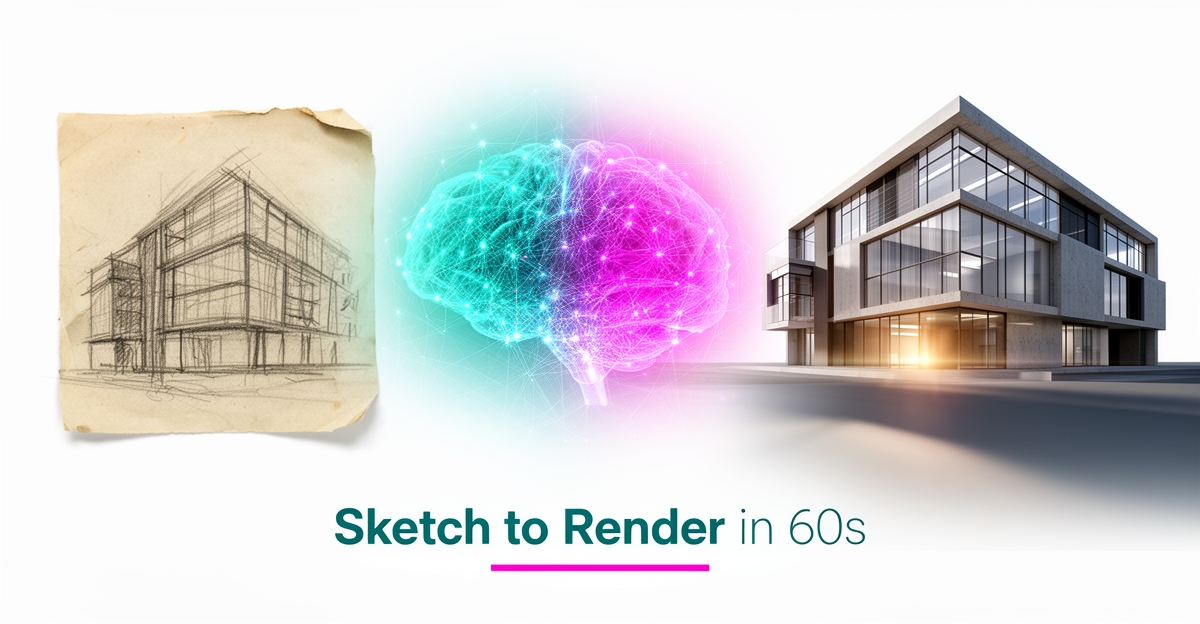
From Sketch to Render: How AI Can Automate Early-Stage Design Phases
Key Facts
- AI rendering is reported to cut visualization time by up to 90% compared to traditional pipelines according to ArchEvolution.
- Roughly 44% of architects reported using AI for concept images in the Chaos State of ArchViz Report 2025.
- AI renders typically finish in under 60 seconds, versus 30 minutes to 8+ hours per image for traditional rendering per workflow comparison.
- Traditional rendering typically requires $500-$3,000/year licenses and $3,000-$10,000 workstations per industry cost analysis.
- AI platforms commonly run $15-$35 per month with no hardware investment required per platform pricing data.
- Around 74% of firms surveyed planned to increase AI usage within 12 months per the 2024-25 State of Architectural Visualization report.
Hire a team member that works 24/7 — for less than a part-time wage.
AI receptionists, SDRs, dispatchers and 99+ roles. Trained on your business, fully managed.
Not sure where to start? Ask our AI planner
The Early-Stage Design Bottleneck: Hours Lost Between Sketch and Visual
Early-stage design should be about exploration, not waiting. For architects and designers, the gap between a sketch and a client-ready visual has become a costly bottleneck that slows decisions and limits options.
Traditional rendering pipelines typically demand 5-20+ hours per view once you add model preparation, lighting setup, test renders and post-processing together. A recent comparison of workflows breaks that down to 2-8 hours for 3D prep, 1-3 hours for lighting, and 30 minutes to 4+ hours for the final render alone. That timeline makes same-day iteration almost impossible.
The financial load is just as heavy. Practices commonly carry software licenses of $500-$3,000 per year and $3,000-$10,000 workstations to run renderers like V-Ray, Lumion and Enscape, according to industry cost analysis. Labor then stacks on top, with 5-20 hours billed per view at team rates.
Clients expect faster feedback and more options. The pressure shows up as:
- Hours lost between sketch and visual, with traditional renders taking 30 minutes to 8+ hours per image versus AI renders produced in under a minute
- High fixed costs for licenses and hardware before any image is created
- Limited design iterations because each change restarts a multi-hour pipeline
Speed is where AI changes the equation. ArchEvolution reports that AI rendering reduces visualization time by up to 90% compared to traditional pipelines, delivering HD 4K results in under 60 seconds. Input preparation drops to 1-5 minutes and refinement to 2-5 minutes, for a total of 5-10 minutes per view.
Cost structure shifts as well. Most AI platforms run $15-$35 per month with no hardware investment required, while cloud processing handles the compute. That removes the workstation barrier and lets teams generate concepts during meetings instead of after them.
The bottleneck is not talent, it is translation. Manual translation from sketch notes or verbal descriptions to 3D models eats the early phase. AI workflow automation can interpret those inputs and generate preliminary 3D models, reducing reliance on manual handoffs. If this rendering workflow is the one costing your practice the most time, AIQ Labs can rebuild it as a fixed-price, phased AI Workflow Build that fits into your existing Revit, SketchUp and AutoCAD ecosystem.
Practices that adopt a hybrid approach keep traditional rendering for final, high-precision deliverables while using AI for concept exploration and client conversations. The result is faster feedback loops and more design options without adding headcount or hardware.
How AI Turns Sketches and Descriptions into Renders in Under 60 Seconds
AI turns a rough line drawing into a client-ready visualization before the coffee cools. The shift is from manual modeling to interpretation, where neural networks read intent from sketch marks and rebuild it as volumetric geometry and light.
Tools ingest a sketch, floor plan, CAD screenshot or photo and analyze line work, spatial relationships and architectural symbols to reconstruct walls, windows, doors and structural components in 3D. Computer vision algorithms detect architectural elements and understand perspective and scale indicators to create accurate volumetric representations. This is how concept ideas move from paper to photorealistic 3D in seconds.
Preparation matters for quality. Optimal sketch preparation typically means scanning at 300 DPI minimum, using PNG or JPEG formats. Clear line work with consistent weights and scale references helps the model correctly interpret depth and proportion. Once uploaded, AI processing typically takes 30-60 seconds for sketch to 3D model conversion.
The workflow compresses hours into minutes. Traditional pipelines need 2-8 hours for model prep, 1-3 hours for lighting and 30 minutes to 4+ hours for final render. AI rendering is produced in under 60 seconds, with traditional renders taking 30 minutes to 8+ hours per image. AI rendering reduces visualization time by up to 90% compared to traditional rendering pipelines, delivering HD 4K results in under 60 seconds.
A typical sketch-to-render flow looks like this:
- Upload: Sketch or CAD at 300 DPI PNG/JPEG fills the frame with minimal empty space
- Interpret: AI analyzes line work and spatial relationships, then reconstructs 3D geometry in 30-60 seconds
- Refine: Review the model, adjust misinterpreted elements, apply materials and lighting presets
- Export: Output in OBJ, FBX, GLTF for downstream use in Revit, SketchUp, Blender or ArchiCAD
The speed unlocks new design habits. Architects can generate renders during client meetings, explore dozens of options in an afternoon and iterate instantly on feedback. For firms that want this kind of generation handled by a managed, always-on system rather than ad-hoc prompting, AIQ Labs deploys AI Employees that run these repetitive visualization tasks at a fraction of the cost of a human hire.
Export compatibility keeps the process practical. Tripo AI supports OBJ, FBX, GLTF formats for output compatibility with existing design ecosystems. The result is photorealistic 3D models and HD 4K renders in under 60 seconds, ready for presentation, marketing or further refinement in traditional tools.
The Numbers: 90% Faster Rendering at a Fraction of the Cost
What if you could cut your architectural rendering time by 90% while slashing costs to a fraction of traditional methods? The data suggests this isn't hypothetical—it's happening now in firms across the industry.
Traditional rendering workflows demand significant time investment. A single exterior view typically requires 2-8 hours for 3D model preparation, 1-3 hours for lighting setup, and 30 minutes to 4+ hours for the final render, totaling 5-20+ hours per view. AI rendering compresses this entire process into roughly 5-10 minutes: 1-5 minutes for input preparation, 10-60 seconds for rendering, and 2-5 minutes for refinement, according to comparative analysis of rendering workflows.
The cost differential is equally striking. Traditional rendering typically requires software licenses costing $500-$3,000 annually and workstations priced between $3,000-$10,000. AI rendering platforms commonly operate on subscriptions of $15-$35 per month with no hardware investment required—any device with a web browser suffices. Looking at compute costs alone, a traditional high-resolution image might cost $2-$3 in processing time, while the same output through AI rendering costs less than $0.10, as detailed in cost analysis research.
The architectural industry is responding to these advantages:
- Roughly 46% of firms surveyed already use AI at some point in their visual workflow
- About 74% planned to increase AI usage within the next 12 months
- Around 44% of architects reported using AI specifically for concept images
- AI-assisted workflows are reported to save 30-50% of GPU time across typical client review cycles
These adoption figures come from the 2024-25 State of Architectural Visualization report by Chaos and Architizer, which surveyed 1,227 architecture professionals. The momentum reflects a fundamental shift in how firms approach early-stage design visualization.
For firms processing multiple design iterations, the mathematics become compelling. A solo designer rendering 20 images monthly can see cost reductions of 90% or more compared to traditional methods. AIQ Labs helps architectural practices implement these AI workflows through fixed-price, phased builds—starting with the single workflow that costs the most and expanding from there.
The speed advantage transforms client interactions. Architects can now generate renders during meetings, explore dozens of design options in a single afternoon, and iterate instantly based on feedback—workflows that remain impossible with traditional rendering pipelines that require hours or days per iteration.
Where AI Wins and Where Traditional Rendering Still Matters
While AI rendering accelerates early-stage design exploration, it faces limitations that traditional methods still address. Multi-view consistency remains a challenge, as each AI-generated render is produced independently, potentially altering materials or geometry between angles—a concern for client presentations requiring visual coherence in an industry where roughly 46% of firms already use AI in their visual workflow. Geometry misinterpretation can occur, with AI occasionally blurring material edges or misaligning shadows, reducing reliability for construction-level precision where traditional methods take 30 minutes to 8+ hours per image but deliver exact, physically based results. Material precision gaps also persist; AI generates convincing surfaces but lacks the pixel-level control to specify exact reflection intensity or vein patterns in materials like marble, which traditional rendering simulates through ray tracing.
These limitations position a hybrid workflow as the most effective approach for architectural practices. AI excels at rapid concept exploration and client iterations, transforming sketches into photorealistic renders in under 60 seconds according to industry reports showing roughly 44% of architects now use AI for concept images, enabling teams to explore dozens of design options in a single afternoon. Traditional rendering, meanwhile, remains essential for final, competition-grade deliverables where material accuracy, lighting precision, and multi-view consistency are non-negotiable. By using AI for early-stage flexibility and traditional methods for high-stakes outputs, firms balance speed with rigor—leveraging AI's reported 90% faster visualization while reserving traditional rendering for outputs requiring exact specifications. This approach mirrors how AIQ Labs structures its systems: AI handles repetitive, time-intensive tasks like initial concept generation while preserving human oversight for precision-critical decisions, ensuring both efficiency and quality in design workflows.
Building Your Sketch-to-Render Workflow: A Practical Implementation Guide
Early-stage design moves fast, and the sketch-to-render bottleneck is where most firms lose momentum. AI changes that by turning rough inputs into presentable visuals in minutes instead of hours.
A practical workflow starts with input quality. Scan or photograph sketches at 300 DPI minimum using PNG or JPEG formats for best conversion results. Clear line work with consistent weights, scale references like human figures, and minimal empty space help computer vision algorithms detect walls, windows, doors and structural components accurately. Preparing clean inputs reduces refinement time later.
Next, choose a style preset and integration path. Most platforms offer a range of AI presets with smart prompt builders and material injection to steer atmosphere, lighting and finish. For production use, verify compatibility with your core tools. ArchEvolution is compatible with Autodesk Revit, SketchUp, Blender, AutoCAD, Rhino and ArchiCAD, and accepts OBJ, GLTF, GLB and FBX for context blending. Tripo3D.ai supports OBJ, FBX and GLTF output for easy import back into modeling software.
Rendering speed is the immediate gain. Industry research shows AI rendering reduces visualization time by up to 90% compared to V-Ray, Lumion and Enscape, delivering HD 4K results in under 60 seconds. For a typical view, AI requires 1-5 minutes for input preparation, 10-60 seconds for rendering and 2-5 minutes for refinement versus 5-20+ hours with traditional pipelines. That speed enables in-meeting iteration and rapid option testing.
Cost and hardware also shift. Traditional rendering typically needs $500-$3,000/year in software licenses and $3,000-$10,000 workstations, while current platform pricing commonly sits at $15-$35/month with no hardware investment required. Cloud processing means any device with a modern browser and WebGL support is sufficient.
Adoption is accelerating. The Chaos State of ArchViz Report 2025 noted roughly 44% of architects using AI for concept images, and about 74% of firms surveyed planned to increase AI usage within the following 12 months. The most successful practices use a hybrid approach: AI for speed and exploration, traditional rendering for final precision.
A reliable implementation sequence looks like this:
- Prepare and upload sketches, floor plans or CAD screenshots, then select a style preset and material priorities
- Generate a first pass render and review for geometry interpretation, adjusting line work or prompts as needed
- Export in OBJ, FBX or GLTF and import into Revit, SketchUp or Blender for further development
- Store outputs in a shared review library for client feedback cycles
For firms wanting consistent, firm-specific results, custom AI systems can deliver accurate, scalable design starters tailored to a firm's workflow. AIQ Labs builds these as phased Workflow Builds—or, when you're ready to connect rendering, drafting, client communication and project management into one operating layer, an AI Operating System you own outright. That approach keeps the speed benefits of AI while embedding your standards, materials and detailing preferences into the process.
The result is faster concept validation without sacrificing the ability to refine later in traditional tools.
Still paying for 10+ subscriptions that don’t talk to each other?
We build custom AI systems you own outright. No vendor lock-in. Full control.
Not sure where to start? Ask our AI planner
Frequently Asked Questions
How much faster is AI rendering compared to traditional methods?
Do I need expensive hardware to use AI rendering tools?
Can AI renderings match the precision of traditional architectural visualization?
What file formats do I need to prepare for AI sketch-to-render conversion?
How are other architecture firms actually using AI rendering today?
What does AI rendering cost compared to outsourcing traditional renders?
From Hours to Seconds: Reclaiming Your Design Momentum
The gap between sketch and render no longer needs to swallow days of billable time. By moving from manual translation to AI interpretation, firms can compress 5-20 hour workflows into under 60 seconds, shifting from $3,000 workstations and $500-$3,000 annual licenses to $15-$35 monthly subscriptions. This isn't about replacing precision—it's about reserving traditional rendering for final deliverables while using AI to explore dozens of concepts in an afternoon and iterate live during client meetings. For practices ready to operationalize this hybrid approach, AIQ Labs builds AI systems that integrate directly with Revit, SketchUp, and AutoCAD—starting with a single fixed-price Workflow Build for your rendering pipeline, or a full AI Operating System when you want everything connected. Start by auditing your current rendering pipeline: identify where hours leak between concept and visualization, then test AI on your next early-phase exploration. When you're ready to scale beyond off-the-shelf tools, start the 2-minute Fit Check to map your specific workflow and identify the highest-ROI automation opportunity for your practice.
Make AI your competitive advantage — not just another tool.
Strategy, implementation and ongoing optimization. One partner, end to end.
Not sure where to start? Ask our AI planner