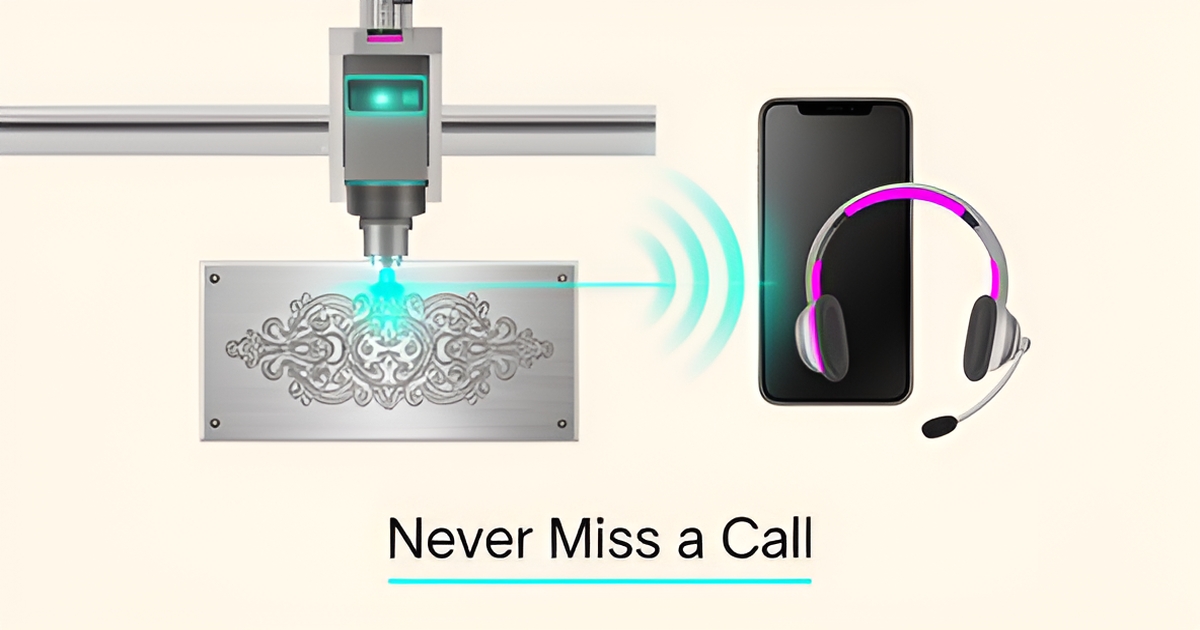
How an AI Receptionist Can Handle Customer Inquiries for Your Engraving Service
Key Facts
- Small service businesses routinely miss a large share of calls during working hours—and every call after closing goes unanswered
- A single missed engraving inquiry can represent anywhere from a small personal order to a corporate awards contract worth hundreds or more
- Callers who reach voicemail frequently never call back; many simply move on to the next shop that picks up
- Speed matters: businesses that respond to inquiries quickly are far more likely to win the job than those that respond hours later
- AI receptionists answer instantly and handle the bulk of routine inquiries—pricing, materials, turnaround—without human intervention
- AIQ Labs has deployed 200+ multi-agent systems and runs 4 live SaaS products daily, so this is proven infrastructure, not experimental tech
Hire a team member that works 24/7 — for less than a part-time wage.
AI receptionists, SDRs, dispatchers and 99+ roles. Trained on your business, fully managed.
Not sure where to start? Ask our AI planner
The Hidden Cost of Missed Calls in Your Engraving Business
Your laser engraver is running, your hands are full, and the phone rings. You let it go to voicemail, intending to call back later. But callers who hit voicemail often never call back—they simply dial the next engraving shop on the list. For a small engraving business, that silence is expensive.
The reality for small service providers is stark. When you are deep in production on a custom trophy order or consulting with a bride-to-be about wedding gift engraving, every unanswered call is a missed connection. And after hours, the gap is total: nobody is answering at all.
Consider the financial impact of just one lost opportunity. A single missed call could be a corporate awards contract, a bulk order for personalized merchandise, or a high-margin custom piece—anywhere from a modest personal job to a project worth hundreds or more. When you multiply that by the calls that slip through each month, the hidden cost quickly escalates into real lost revenue.
Speed compounds the problem. Businesses that respond to inquiries within the hour are far more likely to win the job than those that respond the next day. In the engraving industry, where customers often need quick quotes for time-sensitive events like retirements, graduations, or memorials, a delayed response usually means the customer has already moved on to a competitor who answered first.
The specific inquiries you miss every day have tangible value:
- Rush orders for corporate events with premium pricing potential
- Bulk inquiries for wedding parties or sports team awards
- Technical questions about material compatibility that lead to high-value custom jobs
- After-hours requests from customers in different time zones or planning emergencies
This is where modern AI receptionist technology changes the equation. Unlike traditional voicemail, an AI-powered system answers every call instantly—24/7/365—capturing lead details, answering questions about turnaround times and pricing, and booking consultations even while you are operating machinery or asleep. AIQ Labs' AI Employees service includes managed AI receptionists that turn these missed opportunities into booked revenue, without requiring you to hire additional front-desk staff.
How an AI Receptionist Solves Engraving-Specific Customer Inquiries
Imagine a customer calling your engraving shop at 9 PM on a Sunday. They want to know if you can engrave a stainless steel tumbler, how much it costs, and whether they can get it by Friday. With an AI receptionist, that call gets answered immediately—even though your shop closed hours ago.
AI receptionists excel at handling the repetitive inquiries that make up the bulk of engraving service calls. These systems typically resolve most routine customer inquiries without human intervention. For engraving businesses, this means instant answers about material compatibility, pricing structures, and turnaround expectations.
The technology works around the clock to capture leads you would otherwise miss entirely. An AI receptionist eliminates the after-hours gap by providing 24/7 lead capture that never sleeps.
Here's how AI handles your most common engraving inquiries:
- Pricing questions: Provides instant quotes based on material type, size, and complexity without putting callers on hold
- Material specifications: Explains which metals, woods, or glass types you can engrave and any limitations
- Turnaround times: Gives accurate estimates for standard and rush orders based on current capacity
- Order status updates: Checks job progress and provides real-time information to anxious customers
- Design requirements: Clarifies file formats, resolution needs, and artwork specifications
Speed matters more than most engraving businesses realize. Businesses that respond to leads within an hour are far more likely to win those jobs. An AI receptionist responds instantly, every time.
The system also knows when to escalate. Complex requests—like custom artwork consultations or bulk corporate orders—get routed directly to your team with full context. This intelligent call routing ensures customers always reach the right person without frustrating transfers.
AIQ Labs builds AI receptionists that integrate with your existing systems, learning your specific pricing, materials, and processes. The result is consistent, accurate responses that reflect your business knowledge without requiring you to answer the phone during a laser engraving run.
AI receptionists also improve over time through ongoing tuning, becoming more effective at handling your unique customer questions. They free you and your staff from repetitive phone duty so you can focus on production quality and complex customer needs.
Implementing Your AI Receptionist: From Setup to Ongoing Optimization
Implementing your AI receptionist begins with a clear assessment of your current workflows and communication gaps. Start by mapping out common customer inquiries about engraving pricing, materials, and turnaround times, then identify which of these can be automated versus those requiring human expertise. This foundational step ensures your AI system is trained on real business scenarios, not generic scripts, increasing its effectiveness from day one.
Next, focus on integration with your existing tools to create a seamless operational flow. Connect your AI receptionist to your scheduling software so it can book consultations or engraving appointments in real time, and link it to your CRM to log every interaction for follow-up. Effective AI receptionists depend on natural language understanding, speech recognition, and CRM/calendar integrations to function as true extensions of your team—accessing calendars, updating records, and triggering workflows without manual intervention.
Finally, prioritize ongoing optimization through refinement and performance monitoring. Regularly review call logs to identify where callers ask for human agents or abandon conversations—signals that your AI's instructions need adjustment. Good call flows should reflect your brand's tone, offer clear options, and include smart fallbacks for complex requests. Pair this with periodic performance reviews to track resolution rates and caller feedback, ensuring your AI receptionist evolves alongside your engraving business's needs. AIQ Labs supports this lifecycle approach as part of its AI Employees service—combining custom setup with ongoing management under a simple monthly plan, so your AI receptionist stays effective and aligned with your goals. If you would rather start with a bigger workflow problem first, AI Workflow Builds rebuild the one process that costs you the most, at a fixed price.
Still paying for 10+ subscriptions that don’t talk to each other?
We build custom AI systems you own outright. No vendor lock-in. Full control.
Not sure where to start? Ask our AI planner
Frequently Asked Questions
How much revenue is my engraving business losing by missing calls during business hours?
Can an AI receptionist really answer engraving-specific questions like material compatibility and turnaround times?
Will customers get frustrated talking to an AI instead of a human for my engraving service?
How fast does an AI receptionist actually respond to calls, and does speed really affect whether I get the job?
Do I need to replace my current systems to use an AI receptionist for my engraving shop?
Is using an AI receptionist really more affordable than hiring a part-time employee for my small engraving business?
Your Next Custom Piece Is Waiting on the Other End of That Call
Every missed ring is a project that went to a competitor — a corporate awards contract, a wedding party bulk order, or a rush job with premium margins. The math is unforgiving: while you are at the laser or off the clock, callers who reach voicemail frequently never try again. An AI receptionist closes that gap instantly, answering pricing questions, confirming material specs, and booking consultations around the clock. It handles the routine inquiries automatically and routes the complex ones — custom artwork, high-value corporate deals — to you with full context. The result isn't just fewer voicemails; it's booked revenue that would have walked away. AIQ Labs builds and manages these AI employees end-to-end, integrating with your calendar and CRM so nothing falls through the cracks. If you're ready to stop losing work to silence, start the two-minute Fit Check at aiqlabs.ai/apply and we'll map your biggest bottleneck on a free strategy call — no pitch, just a clear path forward.
Make AI your competitive advantage — not just another tool.
Strategy, implementation and ongoing optimization. One partner, end to end.
Not sure where to start? Ask our AI planner