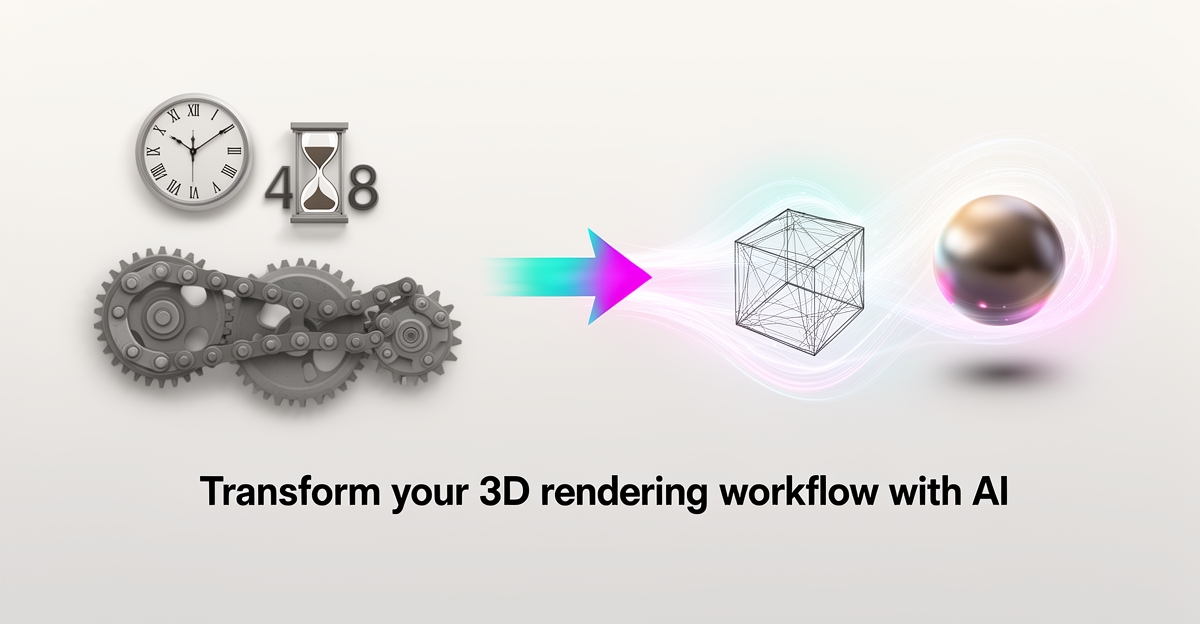
The Hidden Costs of Manual 3D Rendering Workflows—And How AI Can Fix Them
Key Facts
- Traditional rendering commonly takes hours per view; AI-assisted tools typically produce concept-quality images in seconds to minutes
- Industry reports suggest AI-driven workflows can cut per-view rendering labor costs by 90% or more for concept and iteration work
- Onboarding for traditional tools like V-Ray typically takes weeks; AI platforms are often usable within days
- Surveys of knowledge workers consistently find that roughly a quarter of the workweek goes to repetitive tasks that could be automated
- A hybrid AI-traditional workflow can reduce total visualization costs meaningfully—often cited in the 40-60% range—when properly implemented
- Most firms find the majority of concept and iteration work can shift to AI while reserving traditional tools for final deliverables
Hire a team member that works 24/7 — for less than a part-time wage.
AI receptionists, SDRs, dispatchers and 99+ roles. Trained on your business, fully managed.
Not sure where to start? Ask our AI planner
The Real Price of Manual 3D Rendering Workflows
The true cost of manual 3D rendering extends far beyond software licenses, eroding profitability through hidden inefficiencies that compound over time. Surveys of knowledge workers consistently find that roughly a quarter of the workweek goes to repetitive tasks—and for a mid-sized visualization firm, that translates to significant lost productivity that rarely shows up as a line item until deadlines slip and client trust frays. In 3D visualization specifically, manual processes commonly demand hours per render, while AI-assisted tools deliver comparable concept-quality images in seconds to minutes—a speed gap that stifles iteration and innovation.
These delays trigger cascading costs: approval bottlenecks slow decision-making, and manual setup introduces errors—geometry mismatches, missed details, wrong materials—that force costly re-renders consuming hours of skilled labor. Beyond labor, traditional workflows saddle firms with steep hardware burdens: high-end GPU workstations typically run thousands of dollars per seat, plus ongoing maintenance and upgrade cycles. Onboarding is another hidden cost, with new hires often needing weeks to become productive on tools like V-Ray or Lumion. AI alternatives, by contrast, typically run in the cloud on standard laptops with learning curves measured in days, reducing both capital expenses and onboarding delays.
- Repetitive task time compounds into major annual productivity losses for larger firms
- Manual rendering typically takes hours per view versus seconds to minutes with AI tools
- Training on traditional tools takes weeks versus days for most AI platforms
For firms relying on manual rendering, these inefficiencies aren't just operational nuisances—they're strategic liabilities that inflate project costs, delay client approvals, and divert talent from high-value design work. AIQ Labs helps organizations uncover and eliminate these hidden drains through workflow analysis and AI-driven automation—starting with a single [Workflow Build](/workflow-builds) that targets the process costing you the most.
Why AI Rendering Changes the Economics of Visualization
The gap between traditional 3D rendering and AI-driven workflows isn't just a matter of convenience—it represents a fundamental economic shift that can determine whether a firm thrives or merely survives. While manual rendering locks teams into expensive hardware investments and hours of idle waiting, AI rendering delivers results in seconds to minutes, transforming the economics of architectural visualization.
Industry analyses of AI rendering consistently report speed improvements of two to three orders of magnitude over traditional methods for concept work, with per-image render times dropping from hours to seconds or minutes. This acceleration translates directly into large cost reductions—often cited at 90% or more for concept and iteration work. Where a visualization studio might charge thousands of dollars for a set of concept renders, AI-assisted workflows can deliver comparable volume at a small fraction of that cost, fundamentally altering project budgets.
The labor savings are just as significant. A solo designer using traditional tools can spend a large share of billable time on rendering labor alone; AI-driven workflows reduce that dramatically, and the differential scales with team size. These figures don't account for the hardware liberation AI provides: cloud-based AI tools eliminate the need for expensive GPU workstations, running effectively on standard laptops while traditional setups demand ongoing infrastructure investment.
The operational transformation extends beyond raw speed. AI enables a shift from batch processing to live iteration, where designers generate multiple variations during client meetings rather than waiting days for feedback loops. Key performance gains include:
- Dramatically faster render times for concept work (seconds to minutes vs. hours)
- Substantially lower costs per concept visualization
- Training periods reduced from weeks to days
- Hardware costs reduced through cloud processing
- Iteration capacity increased from a few options to a dozen or more variations
However, capturing these efficiencies requires more than adopting new software—it demands workflow analysis to identify where manual bottlenecks actually occur. AIQ Labs specializes in analyzing these inefficiencies, helping firms implement AI systems that eliminate the repetitive work that eats the workweek. By mapping the transition from manual to automated pipelines, firms can ensure they're not just faster, but fundamentally more competitive in a market where speed increasingly determines who wins the bid.
Implementing a Hybrid AI-Traditional Workflow for Maximum ROI
Adopting AI rendering doesn't require an overnight overhaul of your entire pipeline. The most successful firms treat this transition as a strategic process optimization, layering new tools into existing workflows to capture efficiency gains without disrupting active projects or compromising final deliverable quality.
A phased approach minimizes risk while proving value. Start by routing all new client presentations through AI tools while keeping traditional engines like V-Ray or Lumion for projects already in mid-production. This parallel run allows you to measure performance differences in real-world conditions without jeopardizing deadlines.
During this pilot phase, track specific metrics rigorously. Industry reports suggest hybrid AI workflows can reduce total visualization costs by 40-60% when properly implemented, but only if you monitor where bottlenecks persist. Measure time per view, iteration speed, and client feedback cycles to identify which deliverables still require physics-based rendering for regulatory or competition-grade accuracy.
After a pilot period of roughly twelve weeks, consolidate based on your data. Most firms find that the majority of concept and iteration work can shift entirely to AI, while reserving traditional tools for final marketing deliverables that demand dimensional precision and physically accurate lighting. This hybrid model captures meaningful savings in GPU time across typical client review cycles while maintaining quality where it matters most.
However, simply purchasing software licenses rarely delivers these returns. Workflow analysis reveals that hidden inefficiencies—duplicated files, version control gaps, and approval bottlenecks—often persist even after tool adoption. AIQ Labs approaches this transition through systematic workflow mapping, identifying exactly where manual errors and redundant steps inflate costs before configuring automation. This ensures your hybrid pipeline eliminates waste rather than digitizing it.
To maximize ROI, follow this sequence:
- Audit current rendering workflows to identify where repetitive task time is actually spent
- Pilot AI tools on low-stakes concept work while maintaining traditional systems for finals
- Track hard metrics: render time per view, revision cycles, and labor costs
- Downgrade traditional licenses only after validating AI handles the bulk of your concept volume
By treating AI adoption as a process optimization challenge rather than a software swap, you transform rendering from a cost center into a competitive advantage. The goal isn't just faster images—it's a streamlined operation where technology handles repetition and humans focus on creative judgment.
Still paying for 10+ subscriptions that don’t talk to each other?
We build custom AI systems you own outright. No vendor lock-in. Full control.
Not sure where to start? Ask our AI planner
Frequently Asked Questions
How much time do employees actually waste on repetitive tasks in a typical workweek?
Is AI rendering really that much faster than traditional 3D rendering methods?
What cost savings can I expect from switching to AI-driven rendering workflows?
Do I need to buy expensive hardware to use AI rendering tools effectively?
How long does it take to train new hires on AI rendering tools versus traditional software?
Can I use AI rendering for final client deliverables, or is it only good for early concept work?
From Bottleneck to Breakthrough: Turning Rendering Delays into Competitive Momentum
The hidden costs of manual 3D rendering—lost productivity, hardware burdens, and slow iteration—are more than operational frustrations; they're strategic liabilities that erode profitability and client trust. AI-driven tools deliver dramatically faster concept renders at a fraction of the cost, freeing teams to focus on design judgment rather than repetitive tasks. But realizing these gains requires more than software—it demands a thoughtful, hybrid workflow that reserves traditional rendering for final deliverables while leveraging AI for concept work and iterations. AIQ Labs helps firms uncover these inefficiencies through workflow analysis and builds custom AI systems that eliminate waste without disrupting ongoing projects. To see where your rendering workflow is leaking value, start with a free two-minute [Fit Check](/apply), followed by a no-obligation 30-minute strategy call to map your highest-ROI automation opportunities.
Make AI your competitive advantage — not just another tool.
Strategy, implementation and ongoing optimization. One partner, end to end.
Not sure where to start? Ask our AI planner